

In order for the Rover to connect to the Host Machine, the Host Machine must have a Static IPv4 address set.
Typically this is done once, as part of the Cordel hardware installation process.
Recommended Address
IP address: 192.168.1.7
Subnet Mask: 255.255.255.0
How to set-up a static IP address on a Windows (10 Pro) machine
-
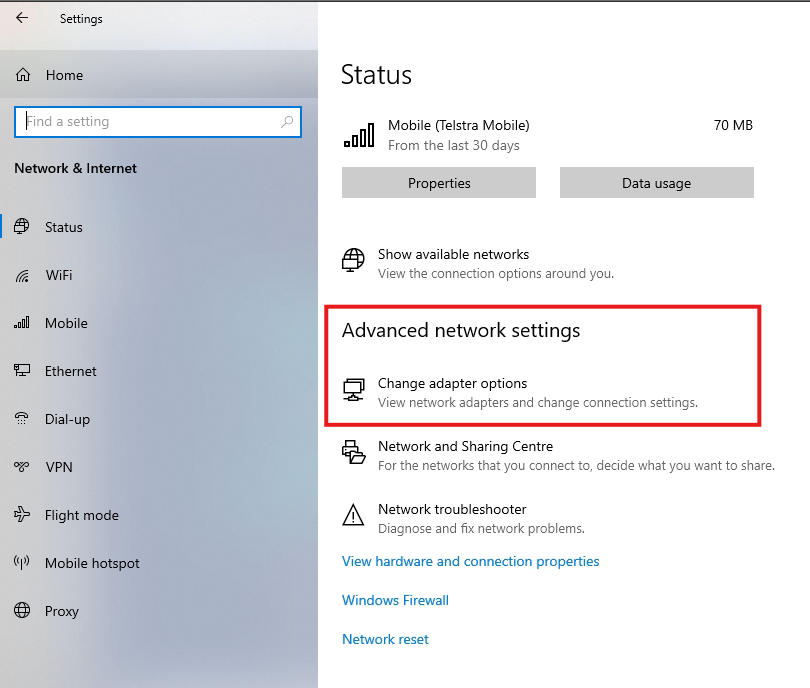
Open Settings and select Network & Internet.
-
Click Advanced network settings
-
Click Change adapter options
-
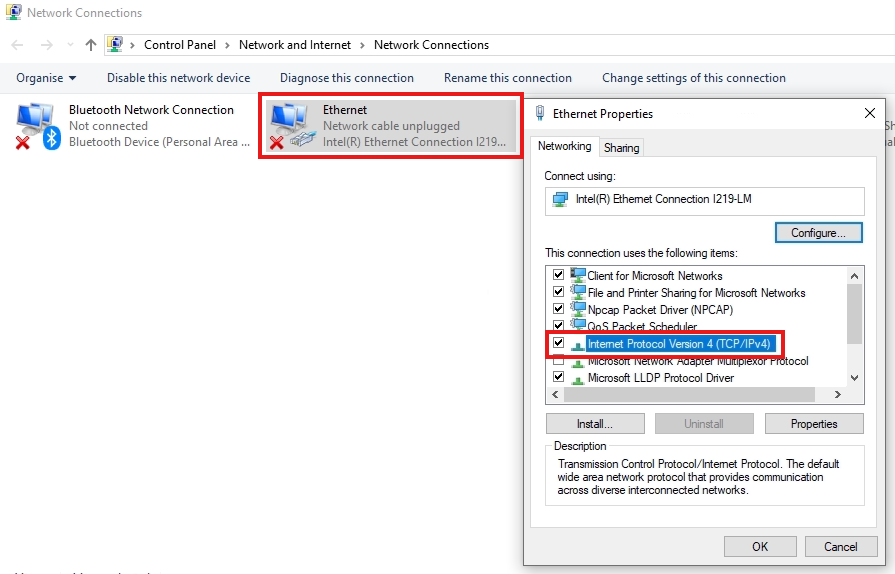
Click Ethernet
-
Double click Internet Protocol Version 4 (TCP/IPv4)
-
Click View additional properties
-
Click on Edit next to IP assignment.
-
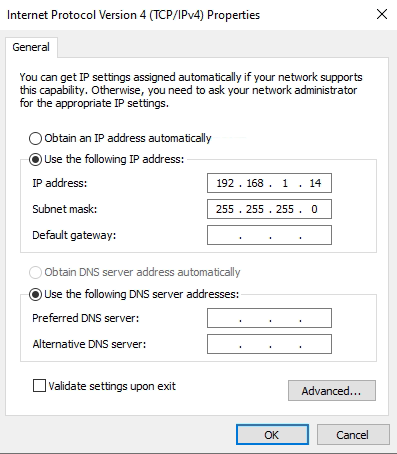
Fill in the details:
-
IP address: 192.168.1.7
-
Subnet Mask: 255.255.255.0
-
Default Gateway: [BLANK]
-
-
Click OK
How to set-up a static IP address on a Windows (11 Pro) machine
-
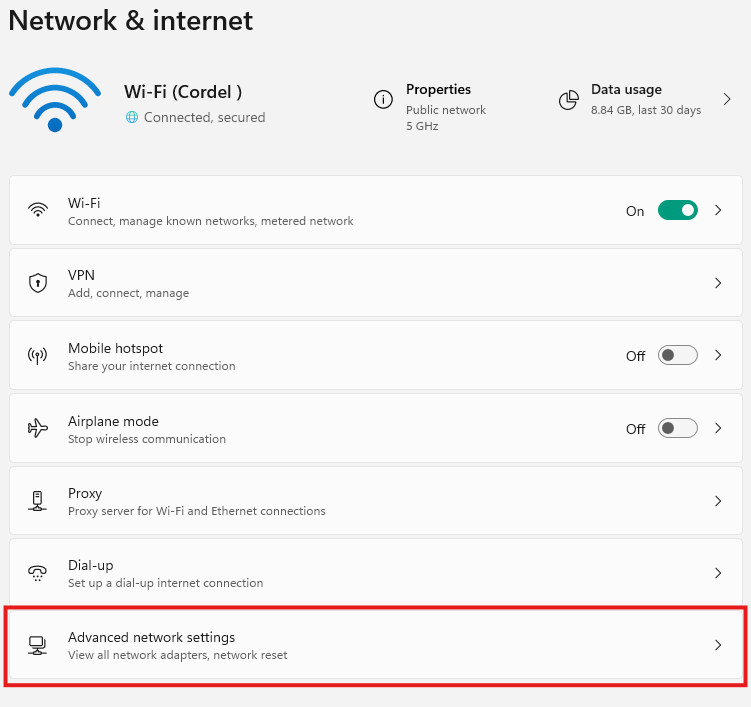
Open Settings and select Network & internet.
-
Click Advanced network settings
-
Click on your current connection type (Ethernet or Wi-Fi).
-
Click View additional properties
-
Click on Edit next to IP assignment.
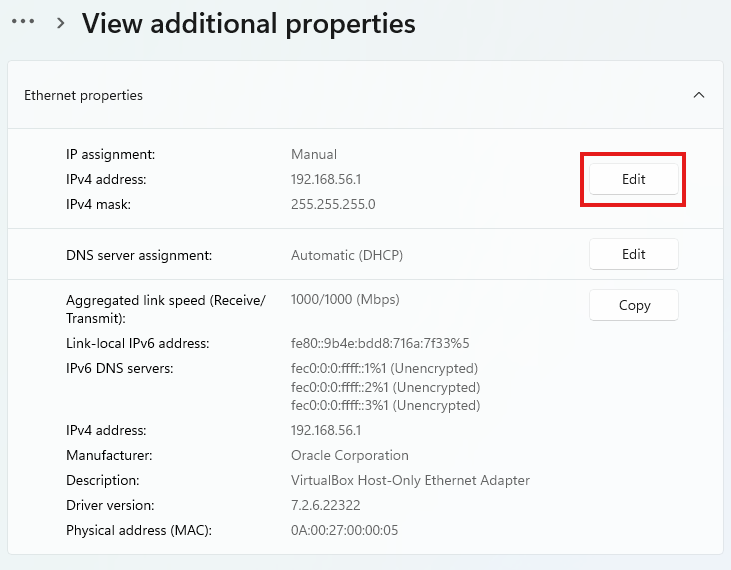
-
Fill in the details:
-
IP address: 192.168.1.7
-
Subnet Mask: 255.255.255.0
-
DNS: [BLANK]
-
-
Click Save