

Overview
Reference Data houses information that is 'adjacent' to survey data. This includes supporting files such as Explorer Layers, approved survey methods and standards documentation. Reference Data is also where Periodic Releases of approved survey data are uploaded and stored, providing a point-in-time reference for users.
Files in Reference Data can be accessed by any users with appropriate read permissions, but uploading and deleting files is restricted. In most cases, Reference Data is managed by Cordel or designated super users within your organisation.
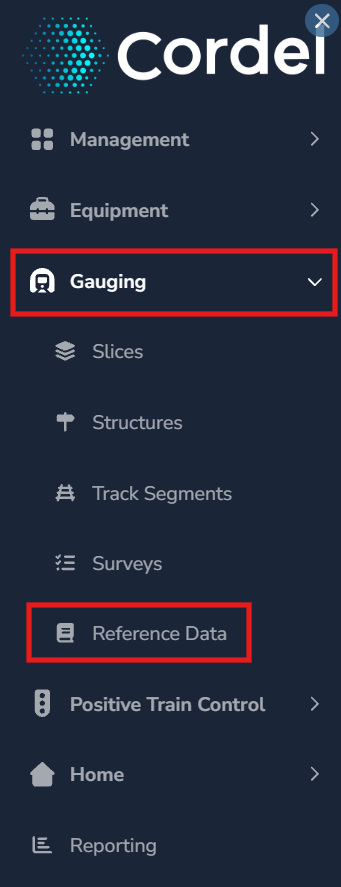
To access Reference Data, go to Gauging> Reference Data
Files
Supported file types
Reference Data accepts all file types. There are no restrictions on the format of files that can be uploaded.
File size limit
Individual files must not exceed 2 GB.
Versioning
When a file is uploaded with the same filename to the same company (or as a global file), the version number is incremented automatically. Version numbers follow the format Major.Minor.Patch — a new upload increments the Minor value.
For example, uploading a file that already exists at version 1.2.3 will create version 1.3.0.
Search
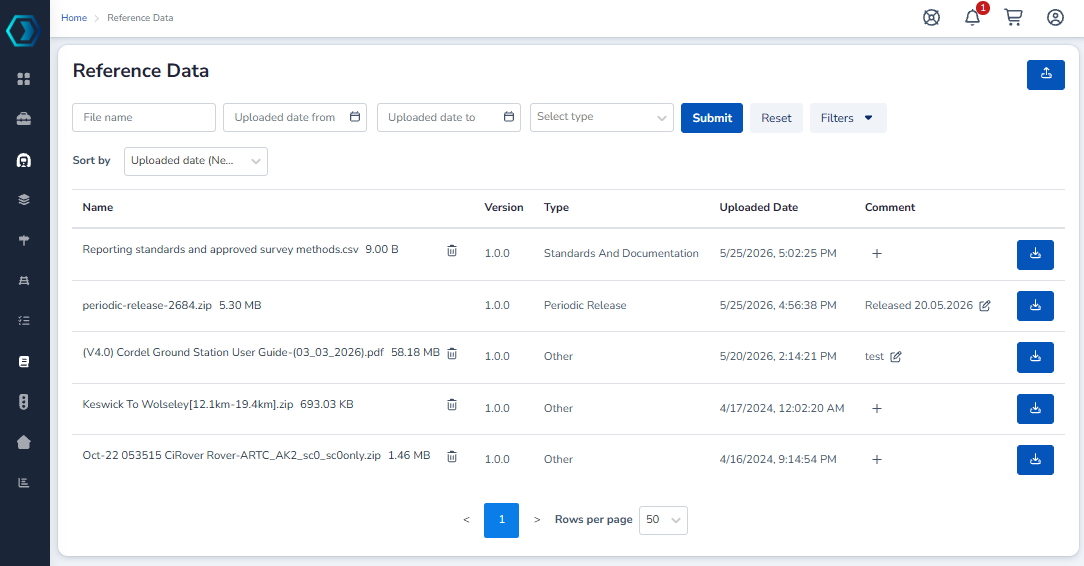
Users can search for Reference Data files by name and results can be filtered by upload date or file type. The search updates results as you type.
The search results list displays the filename, category, version, and the date the file was last updated. Files can be sorted by any column.
Explorer Layers
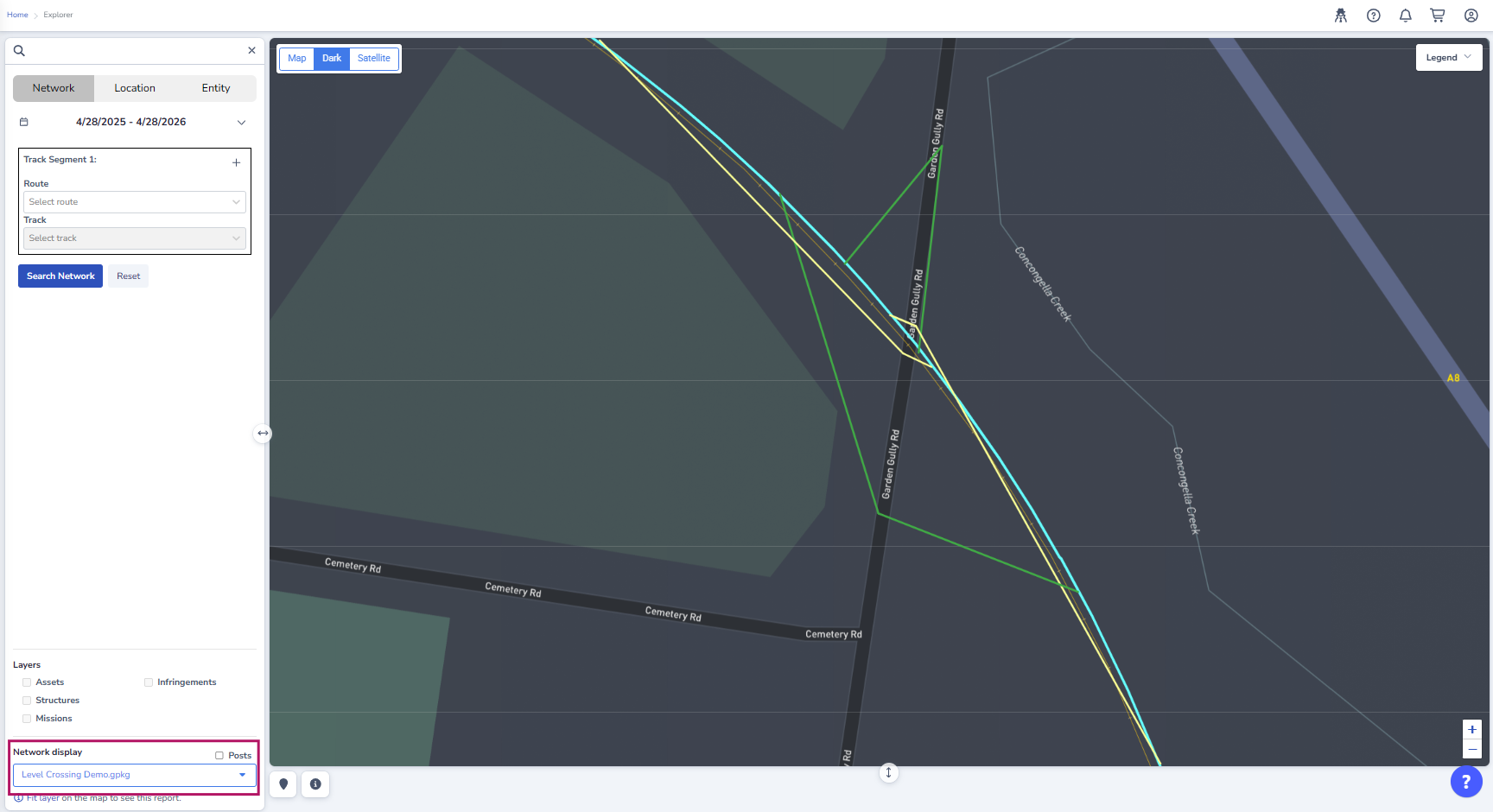
Explorer Layers are GeoPackage (.gpkg) files that can be loaded as spatial layers in the Explorer view.
When an Explorer Layer is available in Reference Data, it is available in Explorer as a Network Display option.
Periodic Releases
Periodic Releases are groups of survey files that are published and released at set intervals. They represent a scheduled delivery of survey data rather than individually managed files.
Access
Access to Reference Data requires the ReferenceData: Read permission. Contact your Cordel administrator if you require access or need upload or delete permissions assigned.
Admin: How to upload reference data
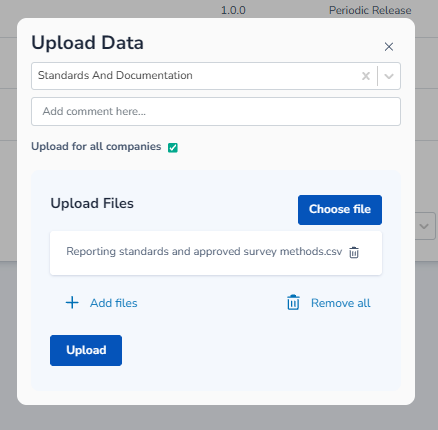
To upload a file to Reference Data:
-
Select a File Type. This is the category for the file being uploaded and determines how the file is classified in Reference Data.
-
Optionally, add a comment to describe the file or the reason for the upload.
-
If the file should be accessible to all companies within the environment, tick 'Upload for all companies'. Typically, this should remain unticked, and the file should only be upload for your company.
Note: Upload for all companies is only available to Cordel Administrators and Super Users. -
Click 'Choose file' and select the file to upload. Use Add files to include additional files of the same File Type in the same upload.
-
Click Upload to upload the selected file/s.
If a file with the same filename already exists, the version number is incremented automatically. See Versioning above.