

What is a survey?
A survey is a collection of slices — the primary unit of gauging data in Cordel Connect. Think of a survey as a folder: it groups all the slices captured during a single gauging run along a section of track.
Each survey contains slices, which are individual 2D cross-sections of the rail corridor taken at intervals of 1–5 metres. Slices are the SC* files that hold the actual measurement data.
Once a survey is published, it and its slices can be exported for use outside Cordel Connect.
How to view a Survey in Survey Viewer
-
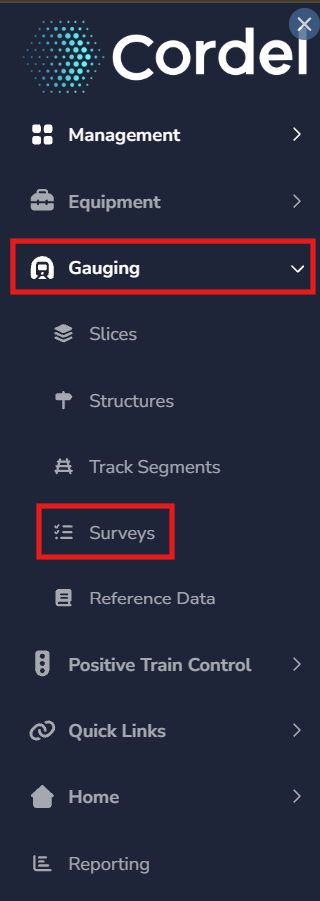
To open an exiting Survey, users need to first open the Survey Index page. Open the main menu in Cordel connect and navigate to Gauging> Surveys.
-
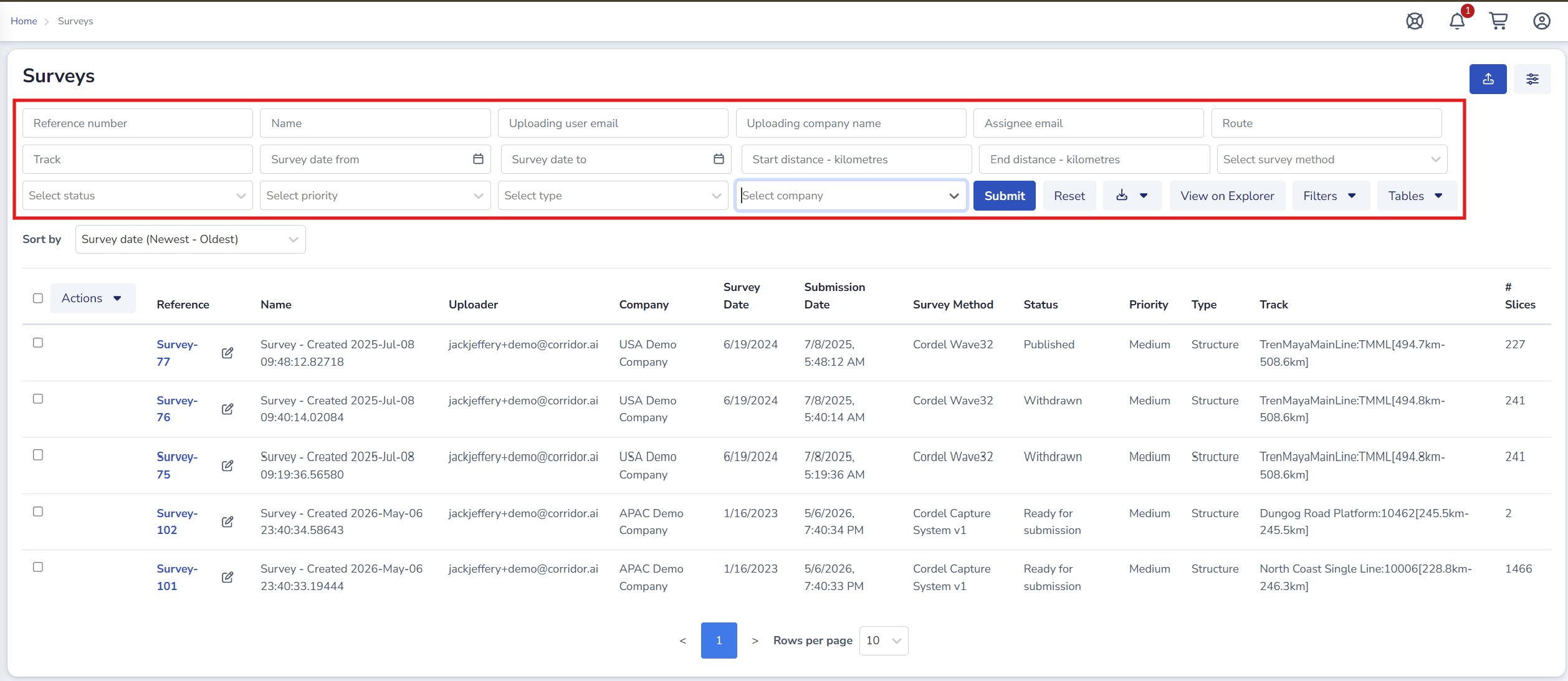
Search for the survey/s required using the search filters on the Survey index page.
Detailed information on how to search for Surveys.
-
Click the corresponding blue hyperlink. This opens the Survey in Survey Viewer.
Users can right click the blue hyperlink and choose to open a survey in a new window or tab. This maintains the search results on the Survey Index page for later use.
🔗 Survey Viewer
How to create a Survey (manually)
Note: Depending on the configuration of your Clearance Connect module, surveys may be created automatically.
-
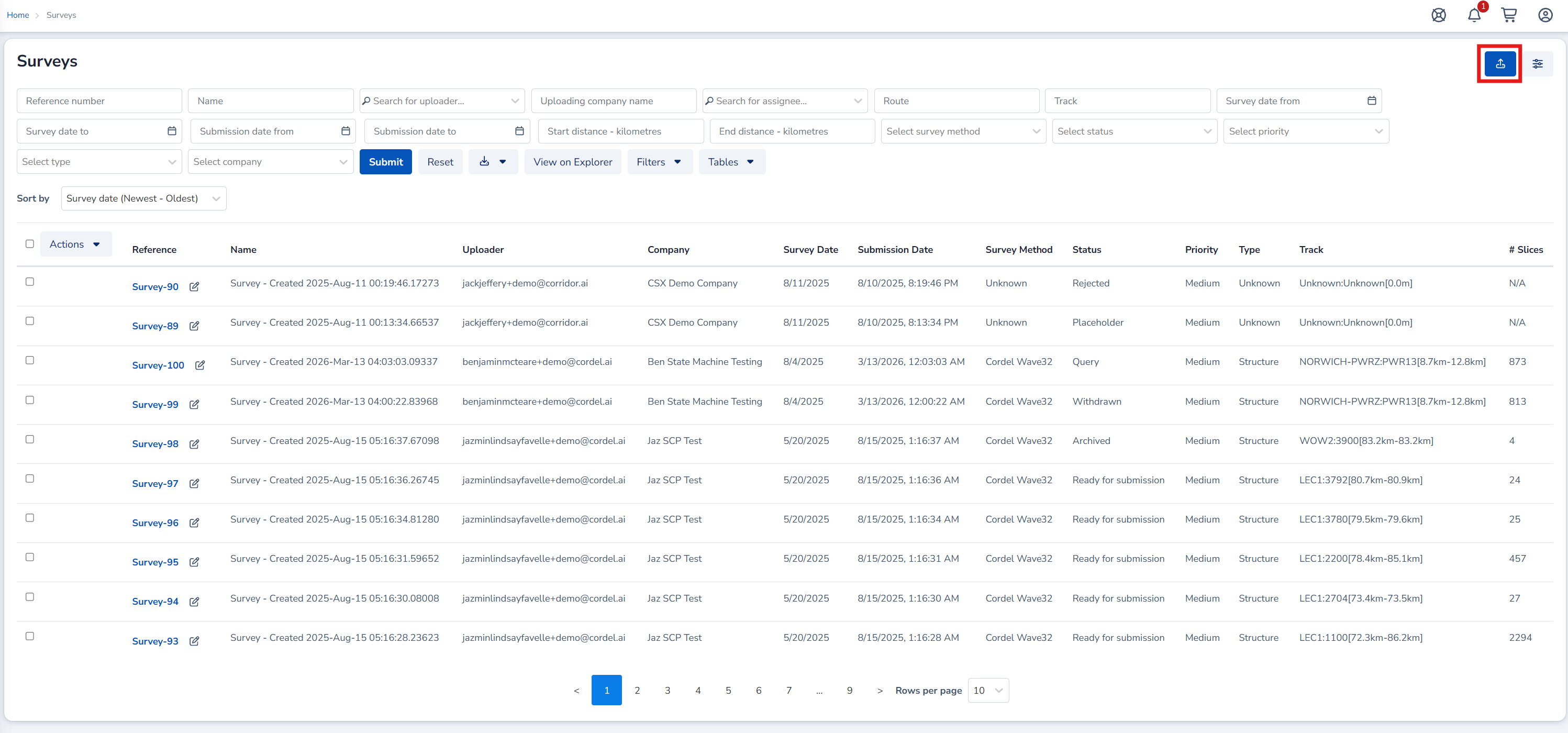
On the Surveys Index Page Click the Upload icon to create a new Survey. The ‘Upload Data’ form will open.
-
Complete the Upload Data form by dragging and dropping Survey files or navigating to saved Survey files, and fill in the required fields.
-
Click ‘Create Survey’
🔗 How to create a Survey
More detailed information of how to create Surveys.
Key facts
Surveys contain slices
A survey groups all slices from a capture run. The slices within a survey represent individual cross-sections of the track at specific locations along the corridor. Survey statuses
Surveys progress through a series of statuses from creation through to publication. The statuses available in your environment depend on your organisation's configuration. Only one published survey per track section at a time
Publishing a new survey for a track section supersedes the previous published survey for that section. Historical surveys remain accessible but are no longer the active reference. |
|---|