

What is a structure?
A structure is any physical asset located within a certain proximity of a railway track — for example, a platform, bridge, tunnel, sign, or pedestrian crossing. The term covers any real-world object that exists alongside or over the track that a train could potentially come into contact with.
All clearance measurement data is take from the railheads to a structure. Each structure is assigned a unique identifier known as a Track Structure ID (TSID), which can be used to search for and manage structure records.
In Cordel Connect, structures are the central organising unit for clearance data. Slices — the individual 2D cross-section measurements taken from LiDAR surveys — are assigned to structures.
How to view a Structure in Structure Viewer
-
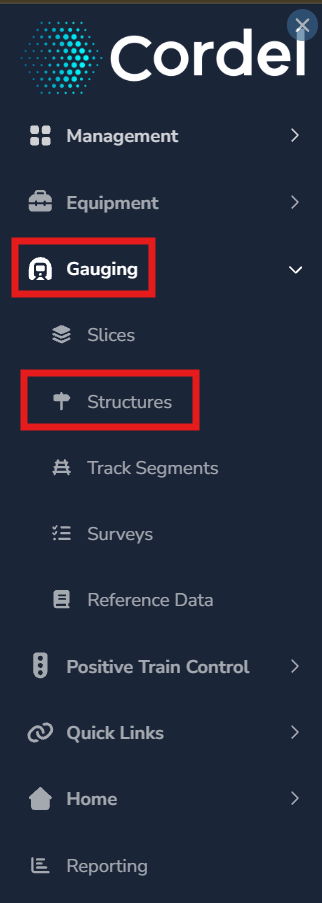
To open an exiting Structure, users need to first open the Structure Index page. Open the main menu in Cordel connect and navigate to Gauging> Structures.
-
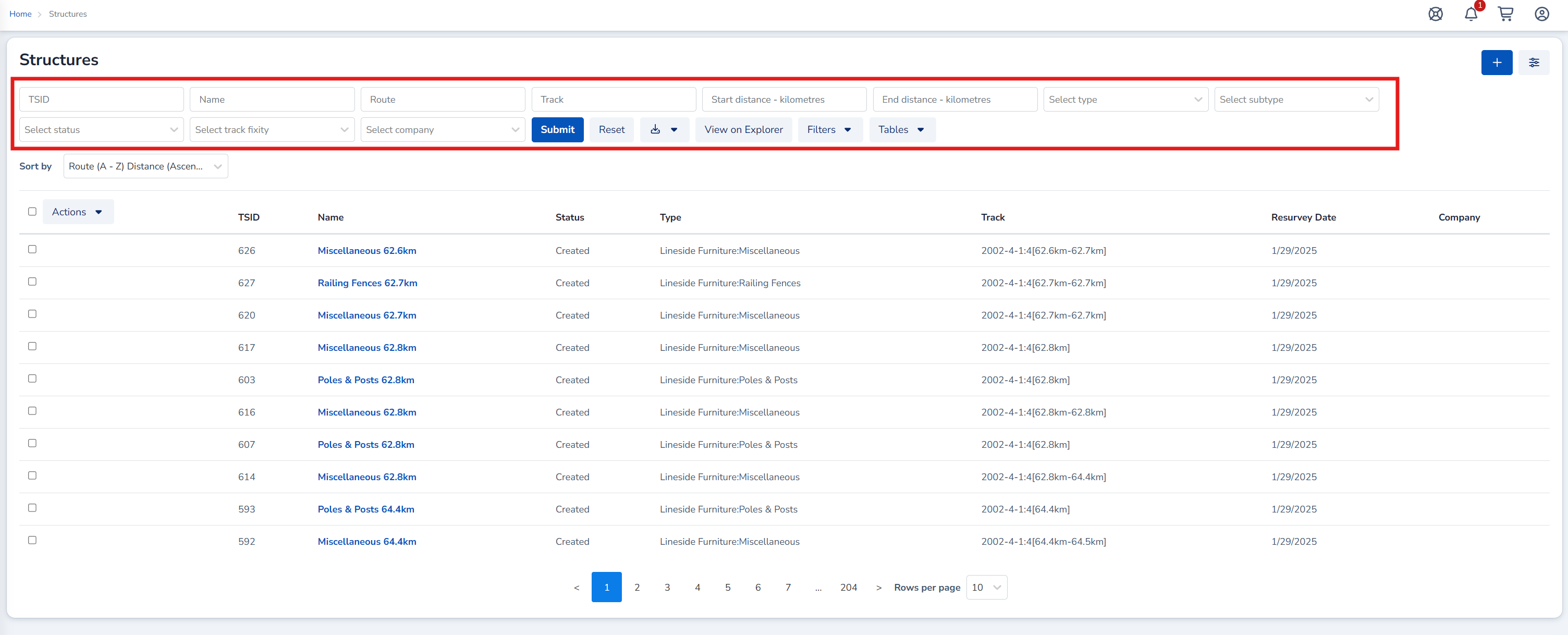
Search for the Structure/s required using the search filters on the Structures index page.
Detailed information on how to search for Structures.
-
Click the corresponding blue hyperlink. This opens the Structure in the Structure Viewer page.
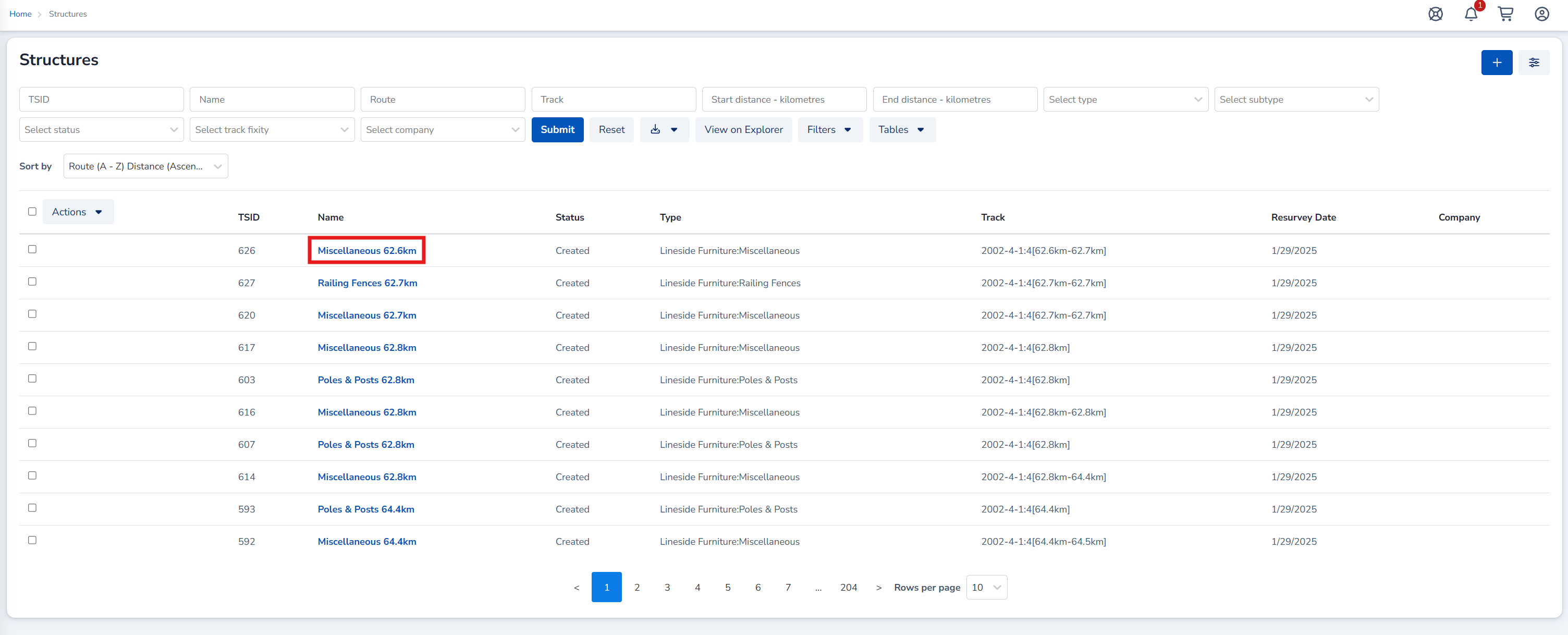
Users can right click the blue hyperlink and choose to open a Structure in a new window or tab. This maintains the search results on the Structure Index page for later use.
🔗 Structure Viewer
How to create a Structure (manually)
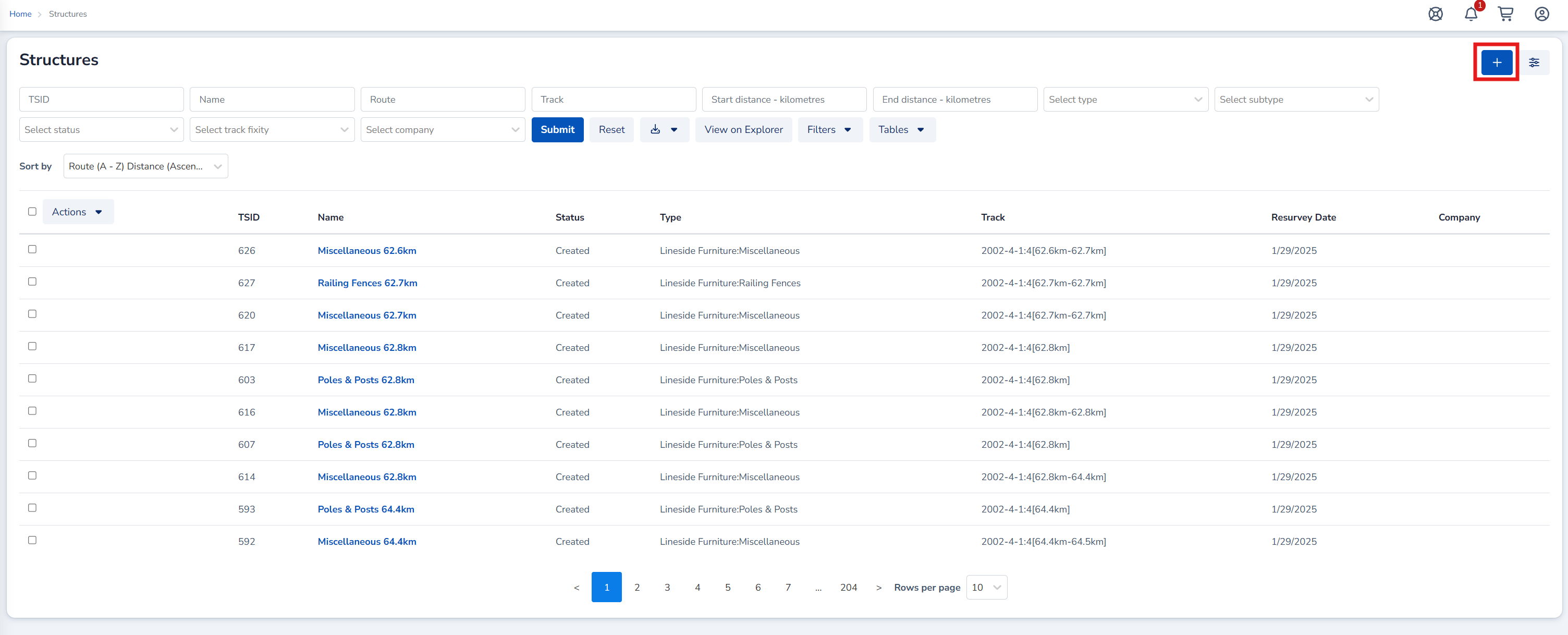
1. On the Structures Index Page Click the “+” icon to create a new Structure. The ‘Create Structure’ form will open.
2. Complete the Create Structure form by filling in the required fields
3. Click Save
More information on how Structures are automatically matched during the Survey creation process and detailed instructions on how to manually create a Structure can be found here.
🔗How To Create A Structure
More detailed information on how Structures are generated
Key Facts
Assigning Slices to Structures allows networks to:
-
Identifying infringements — determining whether any part of a structure falls inside the structure gauge (the defined boundary within which no obstruction should exist)
-
Change detection — comparing current survey data against historical surveys to identify whether a structure has moved or deteriorated
-
Compliance reporting — providing evidence that structures meet clearance requirements, and flagging those due for re-survey
-
Data export — passing structured clearance data to third-party tools such as D/Gauge for advanced kinematic assessment
Structures are how individual slice measurements are connected to real-world assets, and that connection is what makes the data useful for safety and asset management decisions.