

Core Updates
CORDEL CONNECT
User Limits For Companies
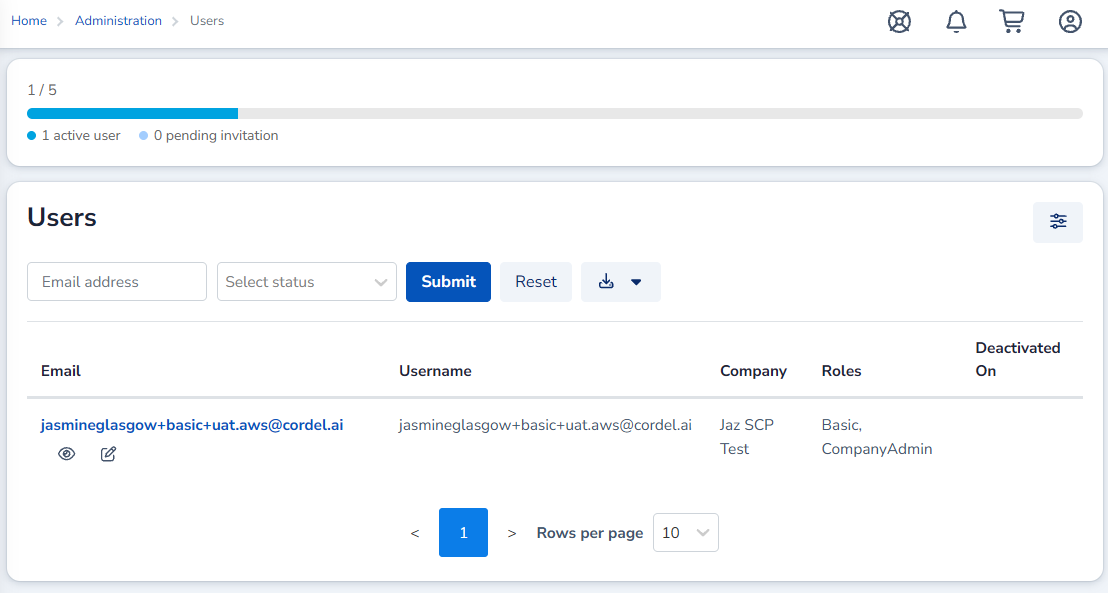
Cordel Connect now has the ability to set user limits for each company within the platform. The limit includes all active users and pending invitations. Once the limit is reached, further invitations and new user accounts cannot be generated.
User Access Requests are not blocked, but they cannot be approved until a license becomes available.
Minor Improvements
codel connect
-
CSV and GPKG exports now include entity Id values, with Id appended as the final CSV column.
-
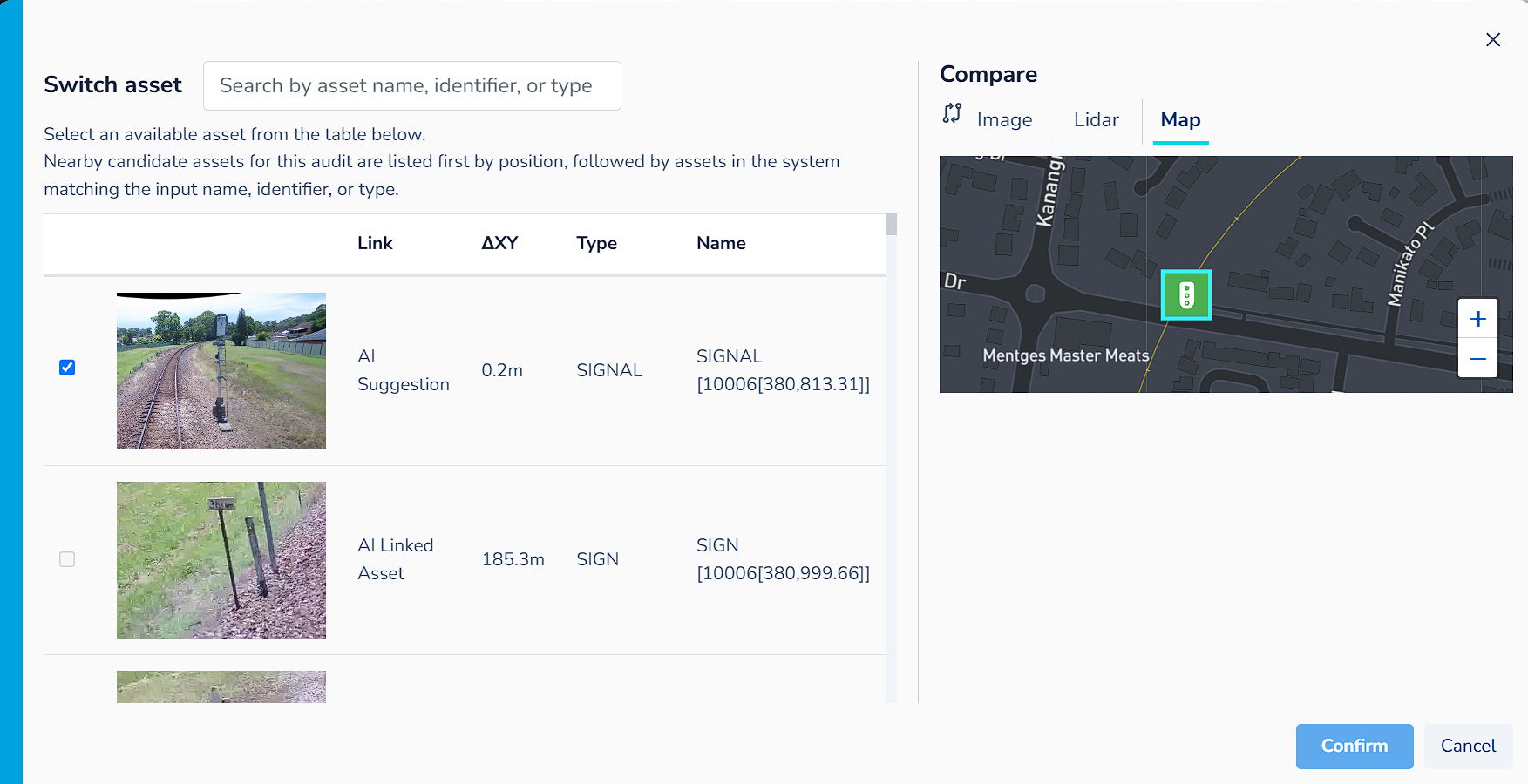
Added a map to the PTC comparison tabs for use in the switch asset modal and the main comparison section on the page.
-
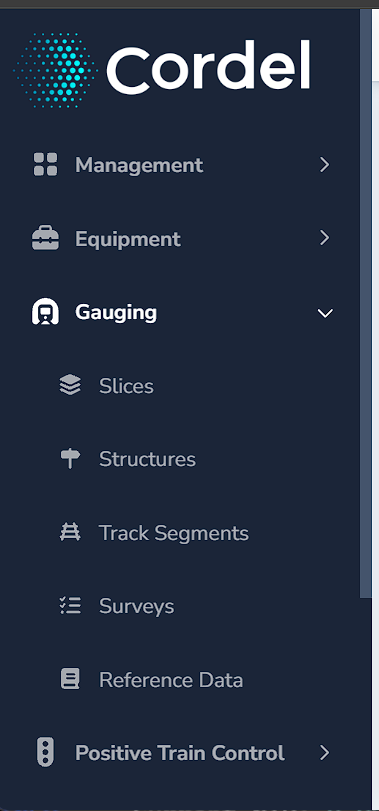
The main menu can now be scrolled vertically when quick links or other content exceeds the available height.
-
Graph type selections are remembered for each report type, so users can move between different reports without having to reselect their preferred graph view each time.
-
The Rover history polylines are stacked by severity, so error states remain visible without filtering.
Explorer
-
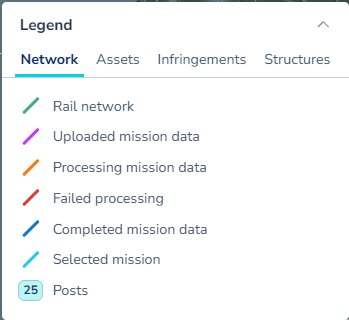
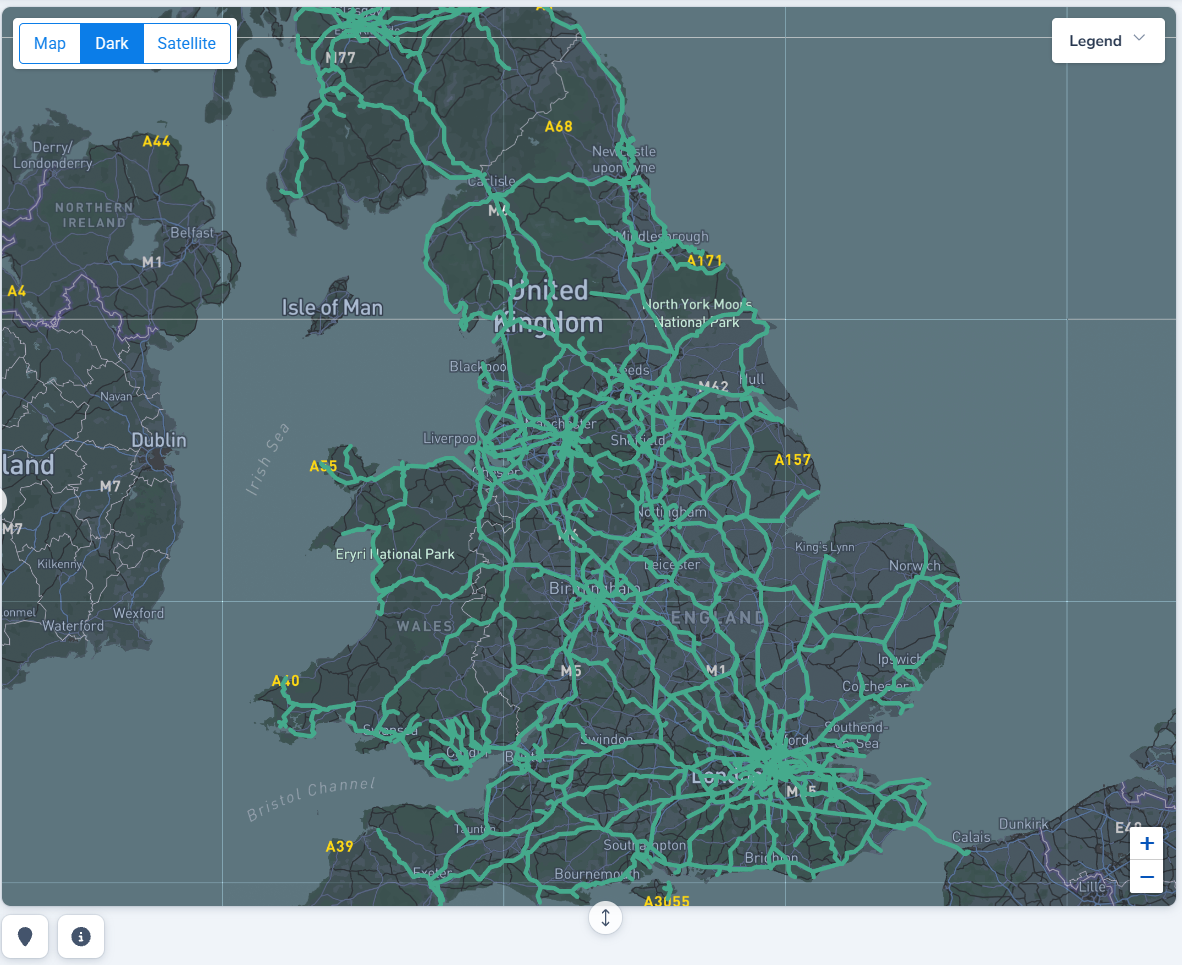
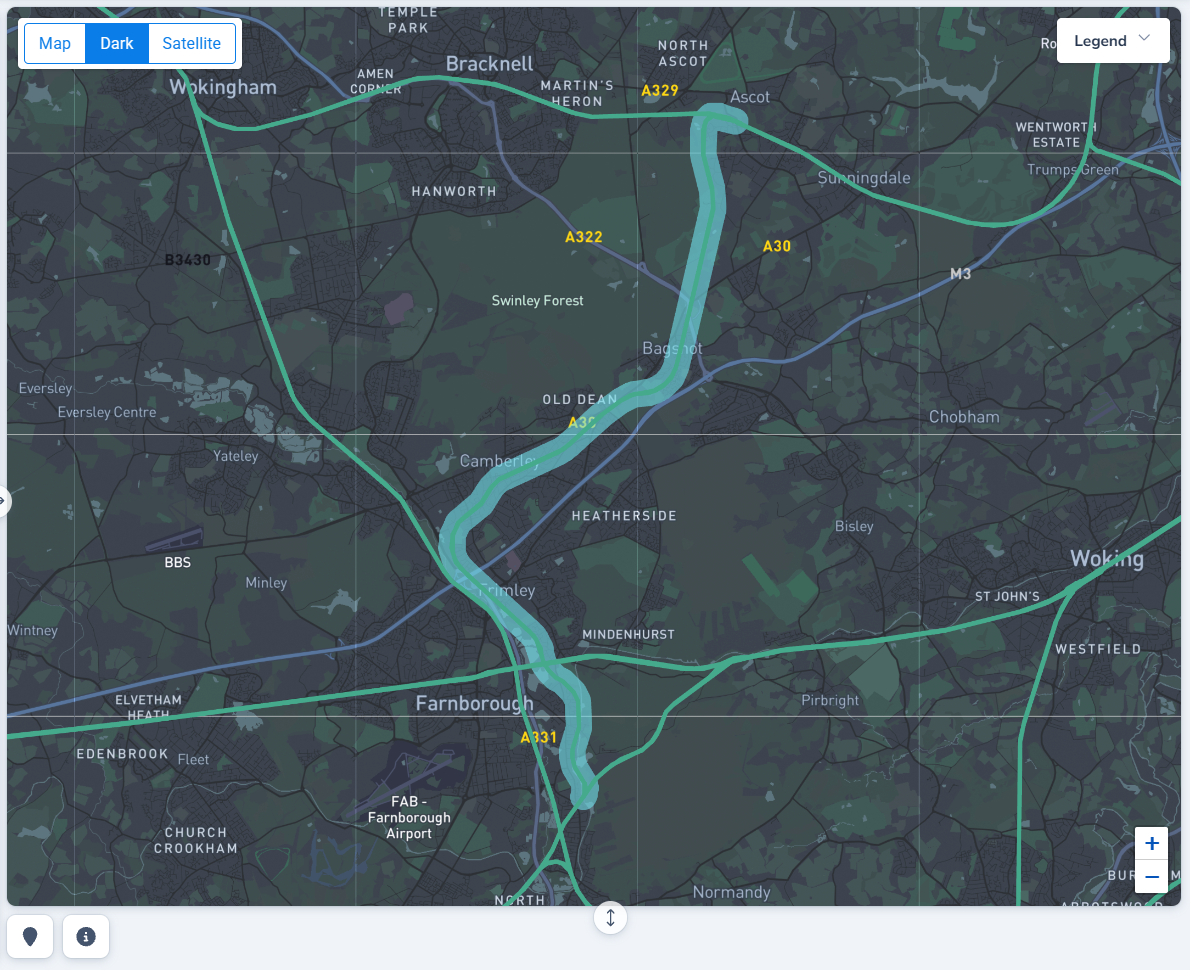
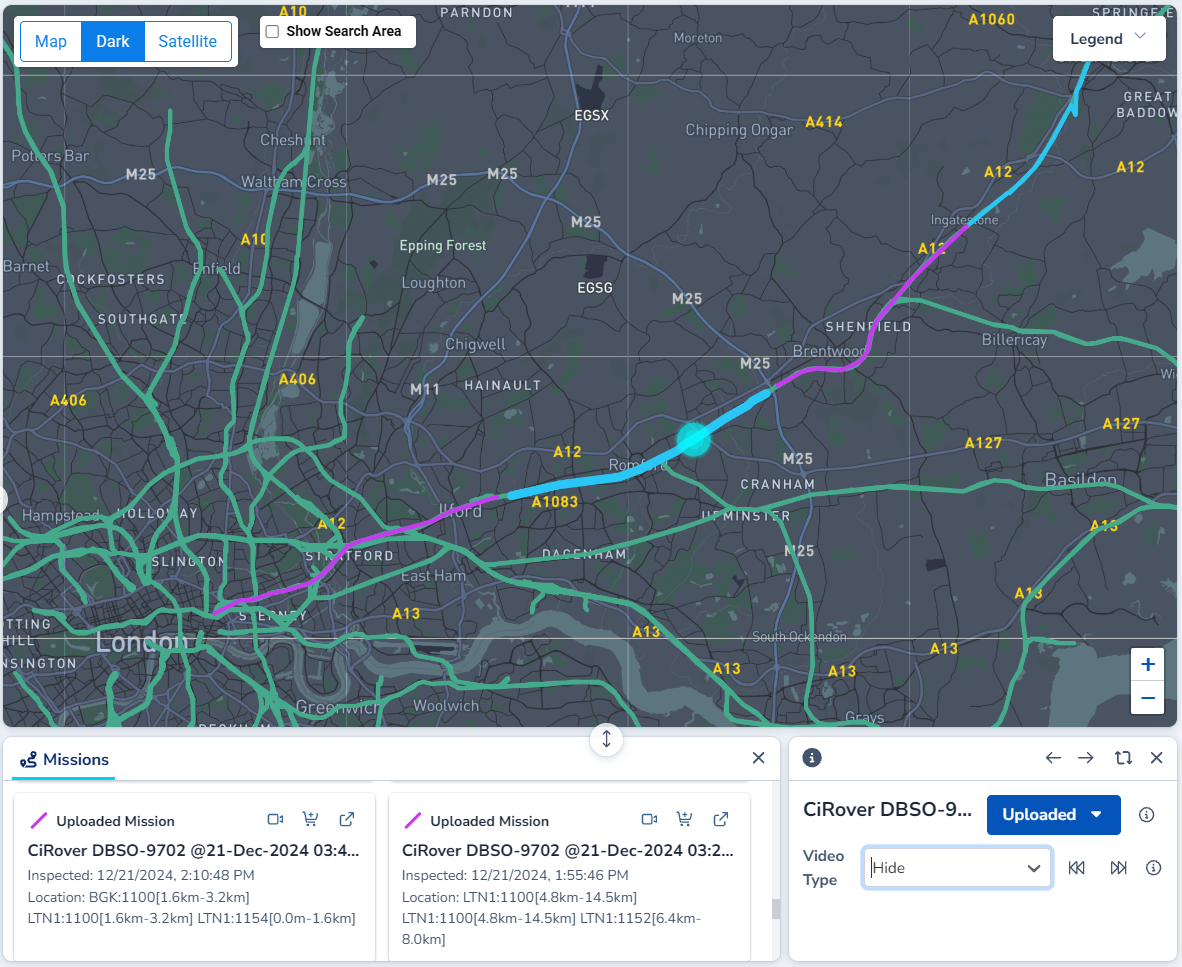
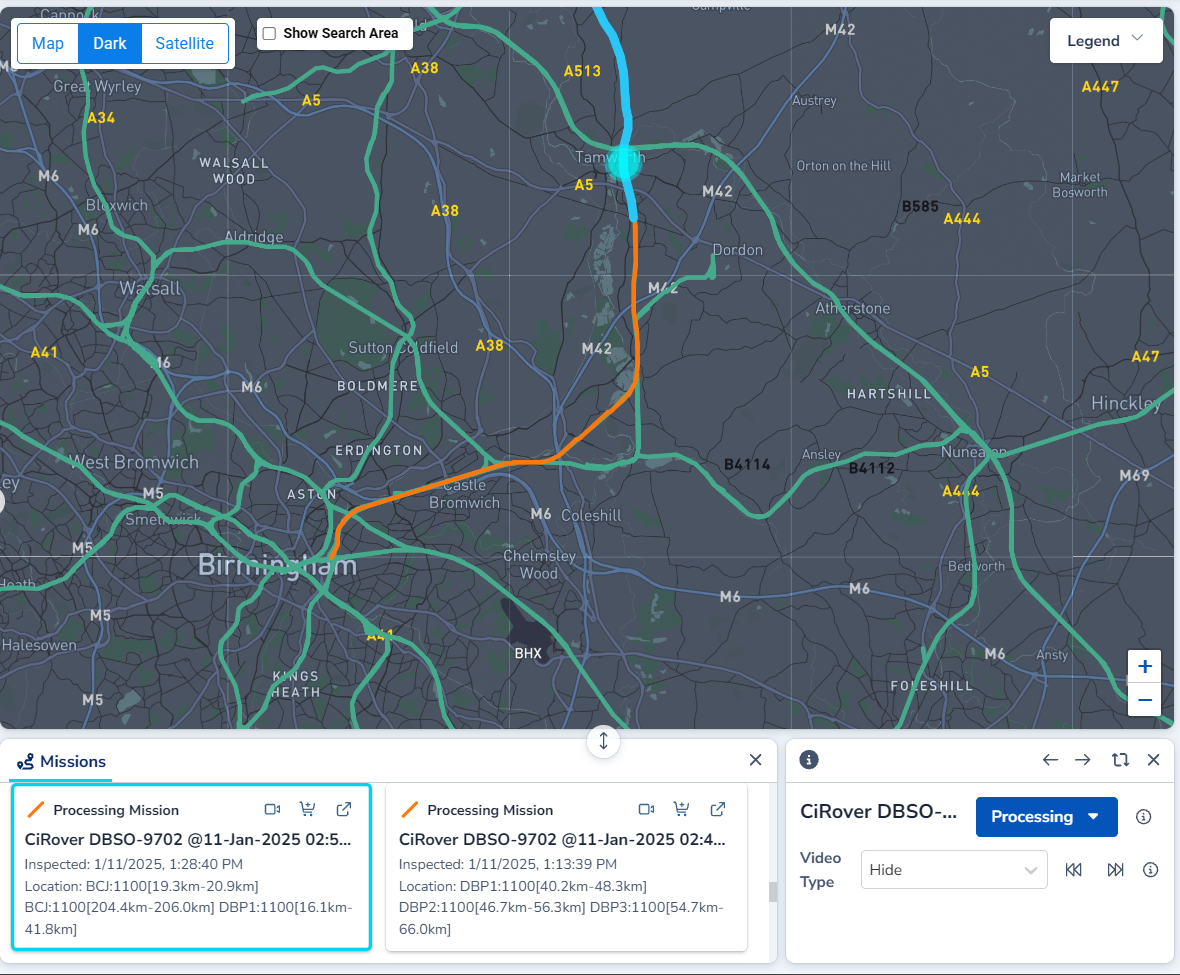
Explorer path colours and selection styling has been updated to improve usability.
|
|
|
|
-
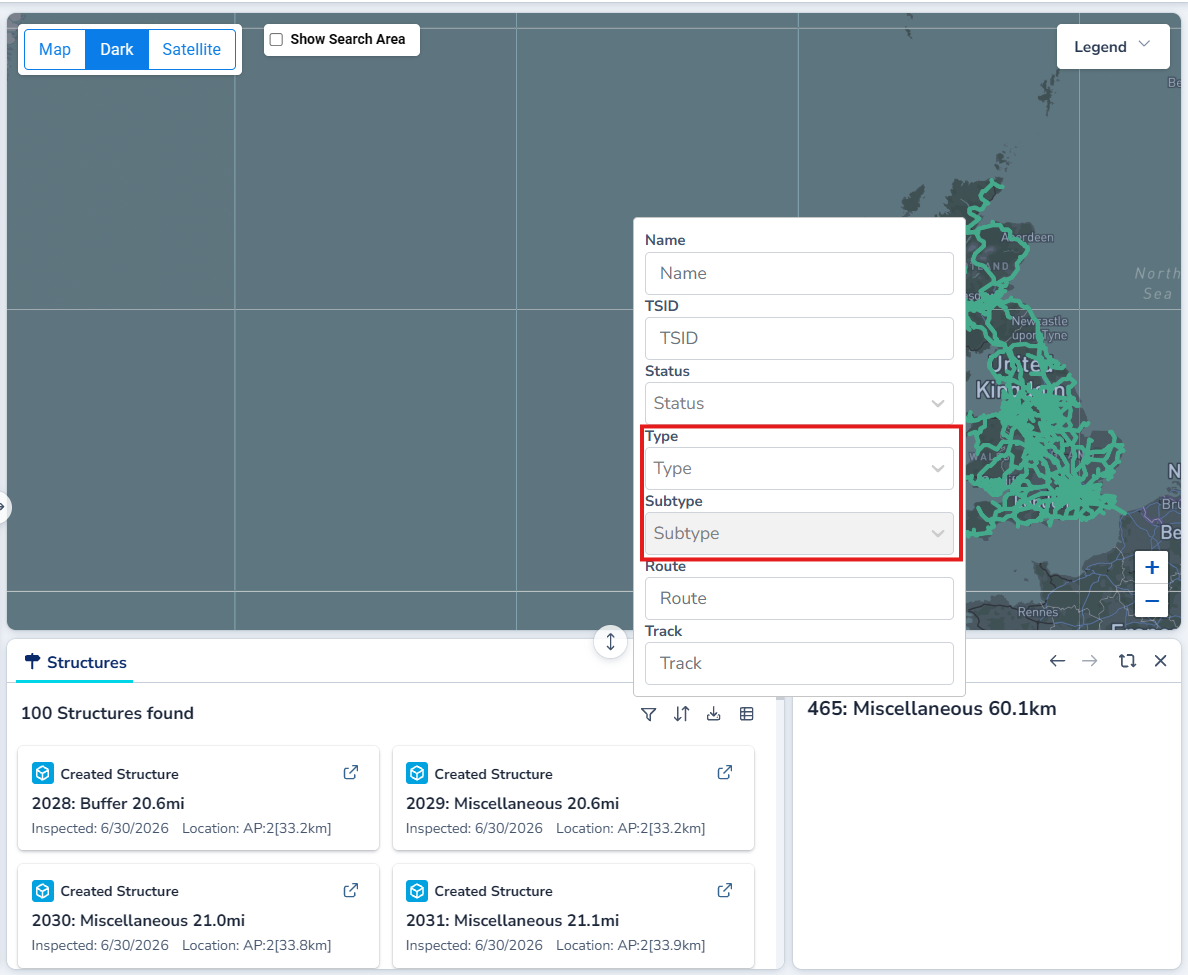
Structure search results can now be filtered by type and subtype.
-
Map markers now reflect status changes after transitions.
gauging
-
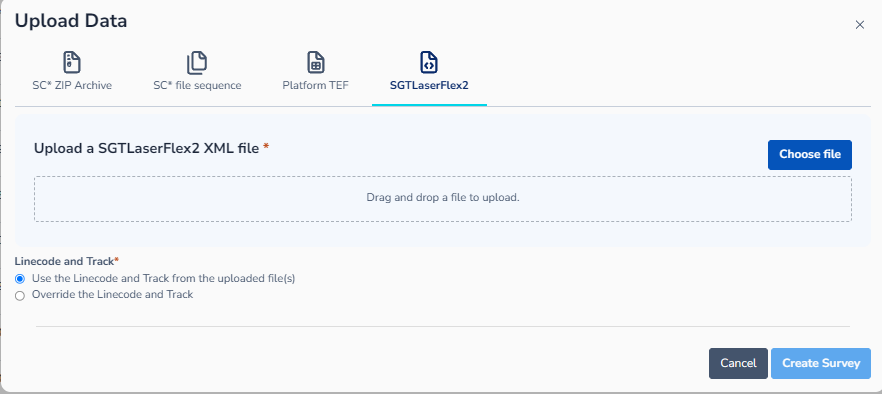
Updated the Survey Upload modal to restrict XML upload to a single file.
-
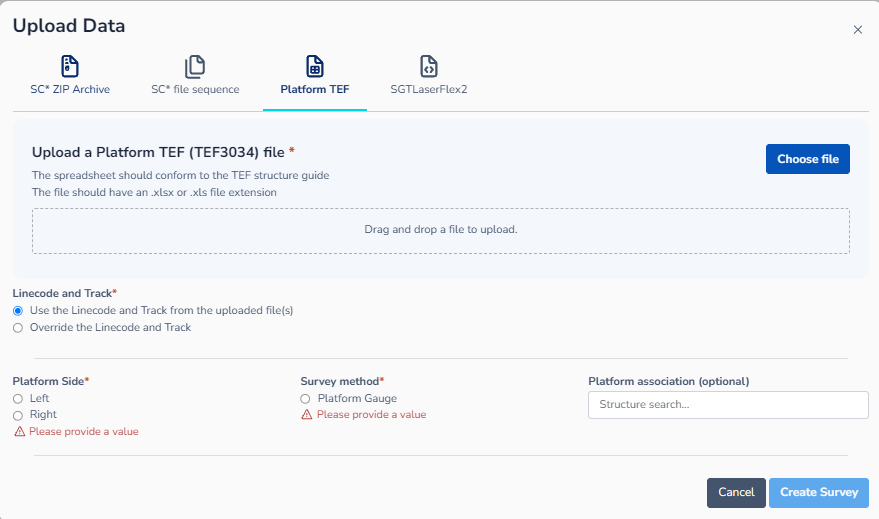
Updated the Survey Upload modal “Linecode and Track” text from “Use the Linecode and Track from the uploaded files” to “Use the Linecode and Track from the uploaded file(s)” to accurately reflect singular and multiple file selections being allowed.
|
|
Fixes
-
Replaced “Intervals” asset wording with “Track Segment” terminology where applicable.
-
Implements permission gating before showing the Rover search filter on the Mission index page.
-
Fixes an issue where Intervals QA checks could run on non-Intervals surveys when the survey type was unknown.
-
Fixes an issue where partial matches for Survey Methods were returned in results.
-
Fixes an issue where access request allowed domains were treated as case-sensitive.
-
Fixes an issue where survey accordions could incorrectly show a survey as Superseded when all slices were Unmatched.
-
Fixes an issue where the Explorer page Network Info panel could open and then close on its own after selecting a network model line.
-
Fixes an issue where Reference Data files were sorted case-sensitively instead of case-insensitively.
-
Fixes an issue where the Explorer page entity status dropdown entered a loading state every time the page refreshed data.
-
Fixes an issue where closing a maximised Audit page hero or sub-hero panel did not return the content to its previous position.
-
Fixes an issue where selection instructions were shown on read-only Track Geometry graphs.
-
Fixes an issue where Asset details Position fields could render outside the panel on smaller screen sizes in edit mode.