

Core Updates
CORDEL CONNECT
Access Requests - New Feature
Organizations can now streamline user onboarding with a controlled access request workflow.
Users without system access can request access via the login page.
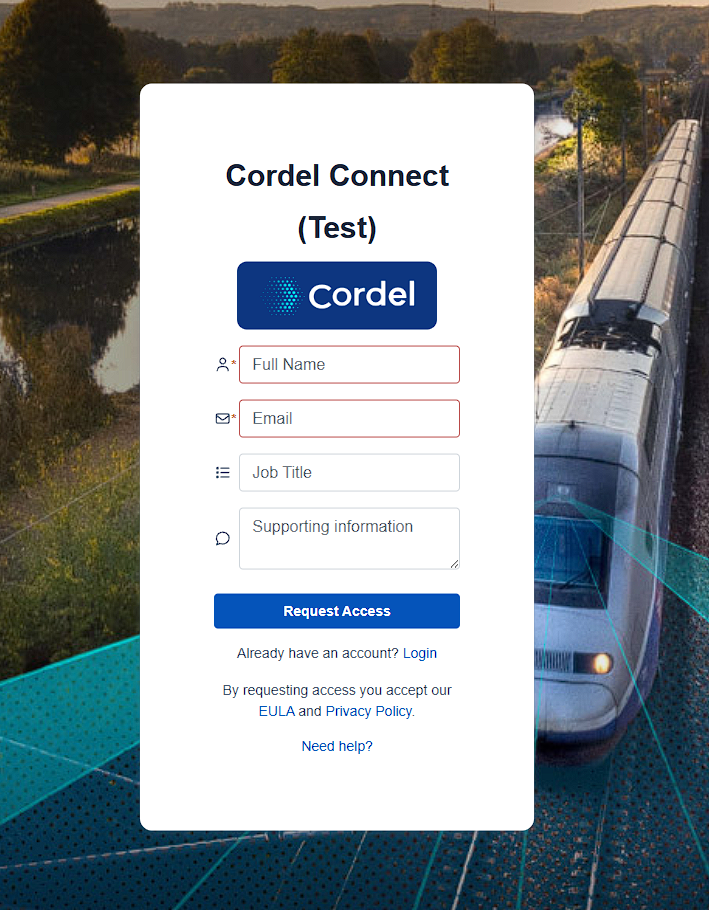
Administrators can configure access requests to match a particular email format, such as a certain domain name. If the access request email does not match then the request is not generated.
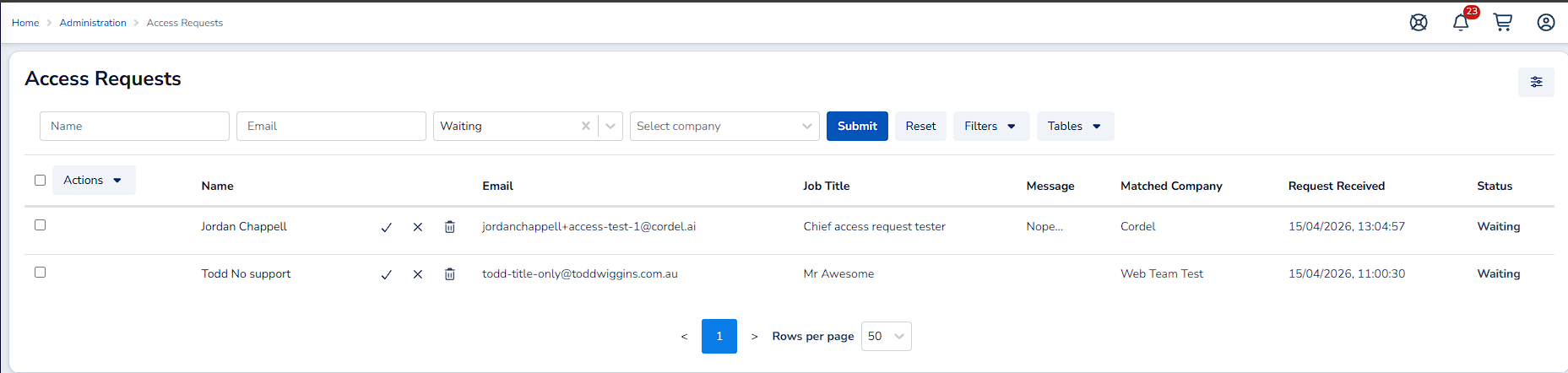
Administrators can accept user access requests individually or in bulk on a new dedicated "Access Requests" administration page.
Online Help Access - User Interface Enhancement
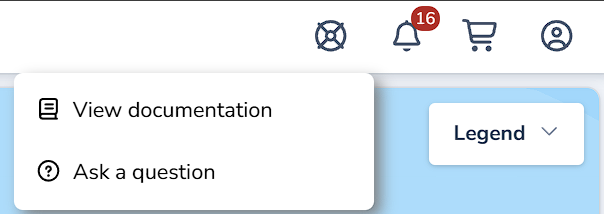
Accessing online help and user documentation has been enhanced by moving the help icon (question mark link for the service desk widget) from overlaying the map on the bottom left of the page to the top left navigation bar to prevent the icon from blocking user functionality on the Explorer page.
PTC
Asset Audit Page - Asset Assignment Enhancements
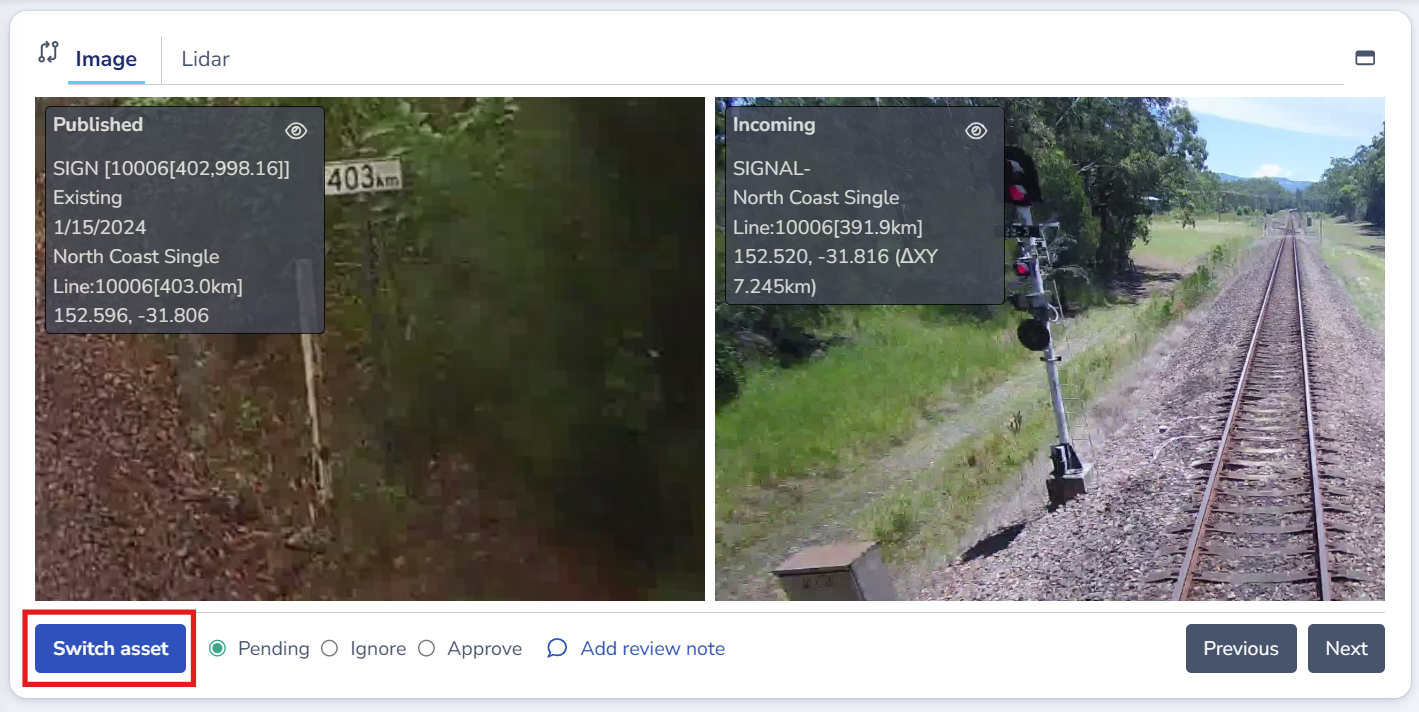
Users can now efficiently manage asset assignments on the audit page using the 'Switch asset' button, positioned below the comparison images/LiDAR. This functionality allows users to quickly reassign assets during the audit process.
The 'switch-asset' modal provides users with AI-suggested matches, showing unmatched assets and already-matched assets to help with decision-making.
Note: The switch asset functionality has two constraints:
-
Assets are only listed if they are candidates for this audit based on position; and
-
Assets are only able to be selected if they are not already assigned to the current audit
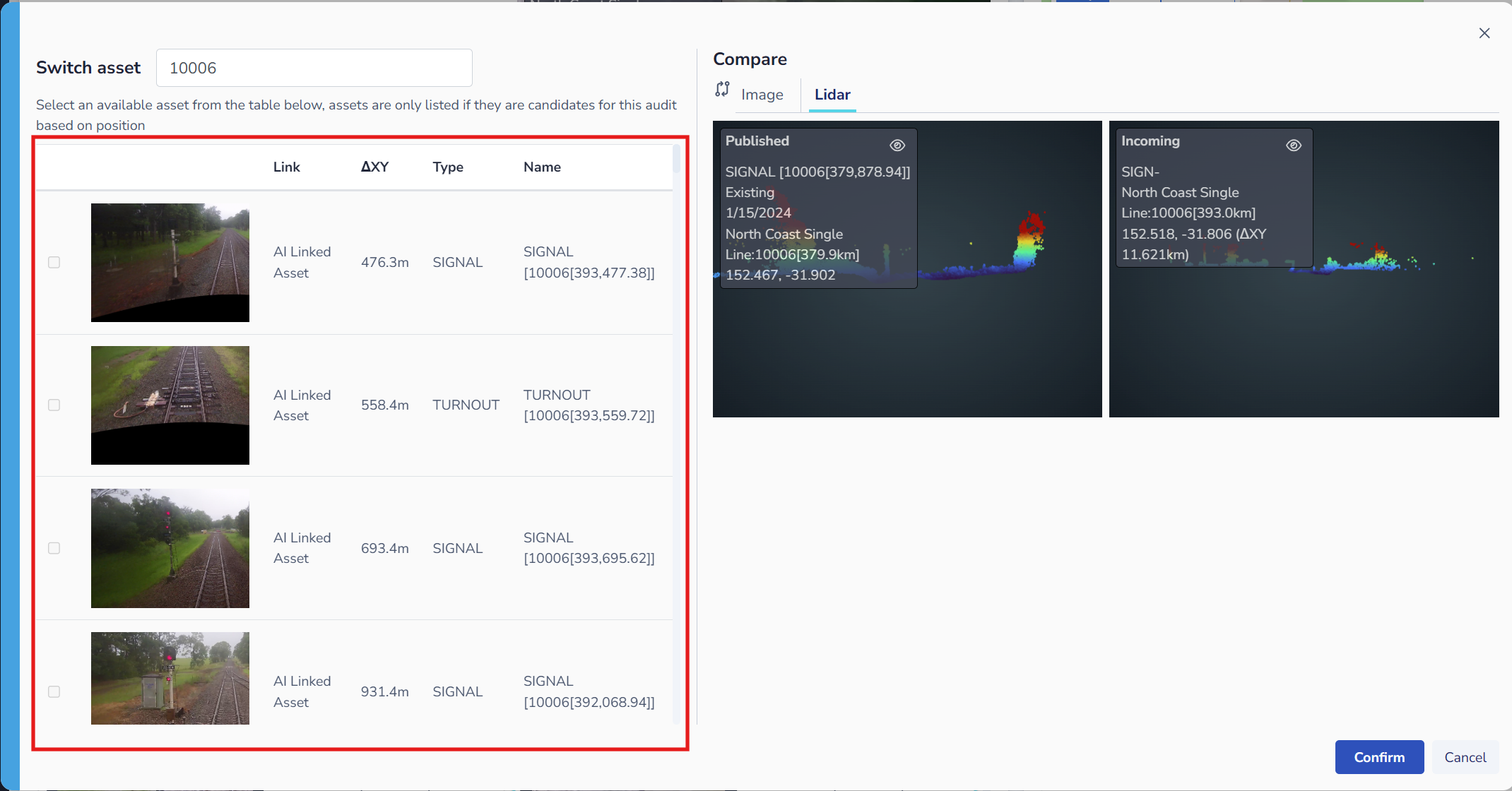
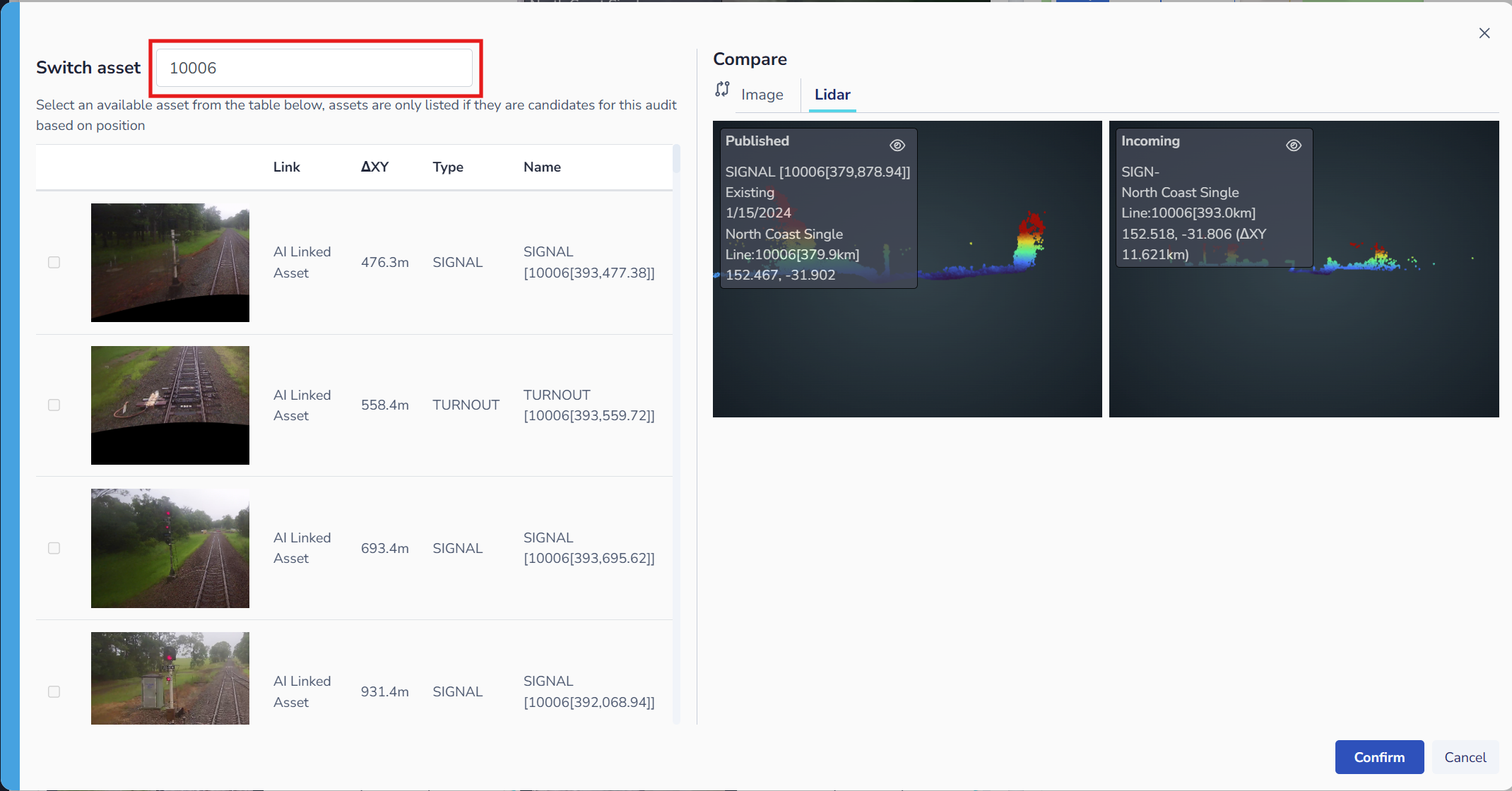
Users are also able to search for assets by name, ID, or type using the Switch asset search bar, making it faster to find the correct asset in large datasets.
Minor Improvements
PTC
Audits
-
Users can now add comments directly to detections on the audit page to document findings and observations
-
Asset point cloud visualization enhancements:
-
Improved background color rendering for better visibility
-
Added altitude gradient coloring to point clouds in the comparison window for spatial context
-
CORDEL CONNECT
Explorer
-
Improved tabular user interface design for searching and interacting with entities, providing a more intuitive experience
GAUGING / CLEARANCES
Surveys
-
Enhanced auto-matching for surveys: Surveys uploaded with letter track codes now correctly automatch to the appropriate track code when available
Fixes
Mission Search & Display
-
Fixed an issue where missions were being incorrectly matched by LRS search on the explorer page when the track name and track code matched, but the distance did not
-
Fixed an issue where missions with overlapping mission paths would result in an error when searching on the explorer page
Map & Visualization
-
Fixed an issue where map icons were not displaying in a selected state when enabling and disabling layers
-
Fixed an issue where map popups were too narrow in some display scenarios
Asset Management
-
Fixed an issue where asset detections were not being updated with newly created asset IDs