

Core Product Updates
⭐ PTC Connect ⭐
Cordel connect
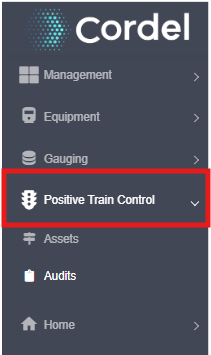
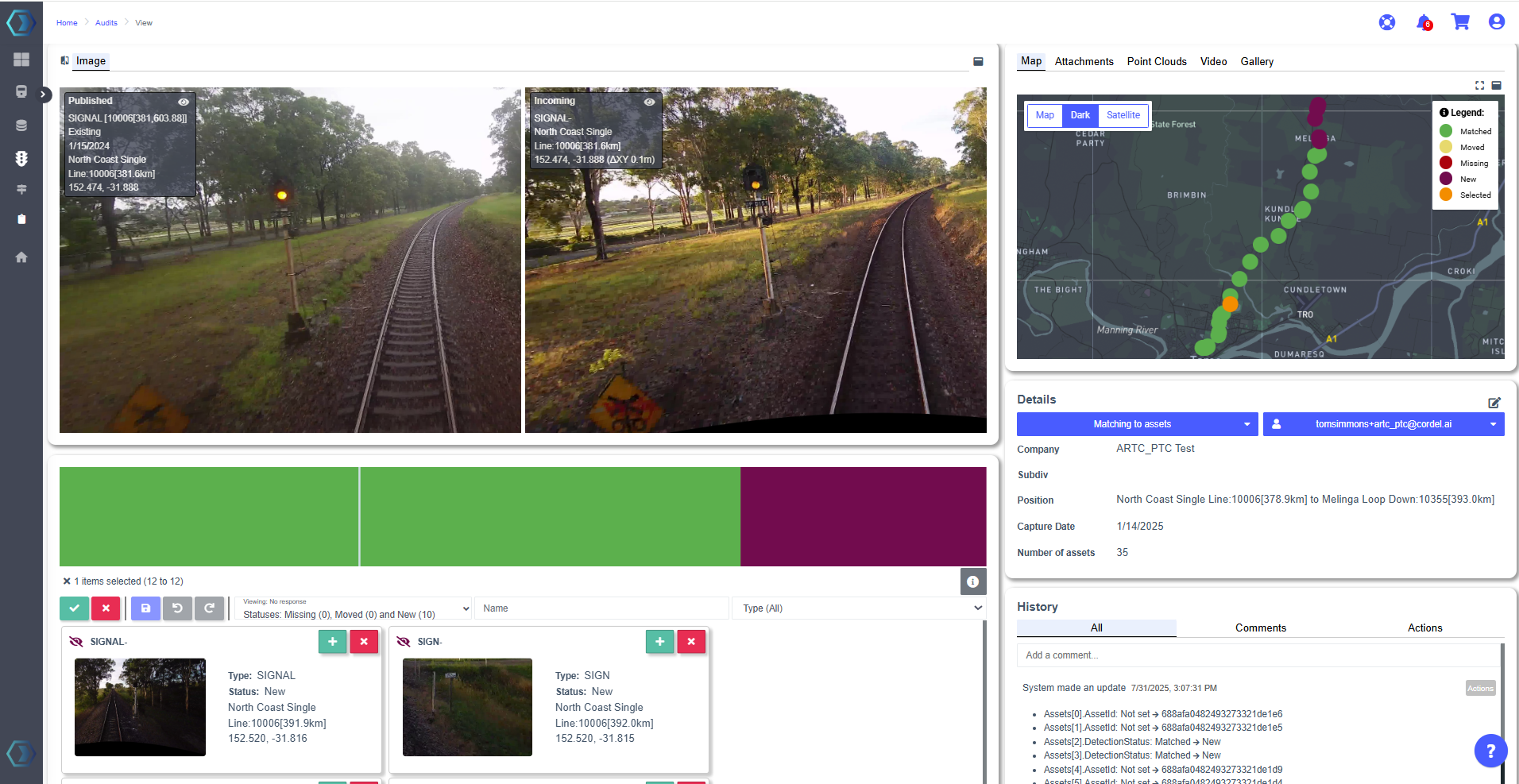
New Cordel Connect module to track the position and condition of the critical PTC assets is recorded and compared to existing asset information. Where deviations from baseline are detected (beyond the configured thresholds) this asset is presented for review.
This module manages the asset audit process down to a quick comparison between new and existing information - with optional synced video and 360 degree point cloud for added context.
Users accept or reject new, moved and missing assets with the click of a button - save their changes - and the process is complete.
|
|
⭐ Usability Enhancements ⭐
'Coverage' layer date filtering
cordel connect
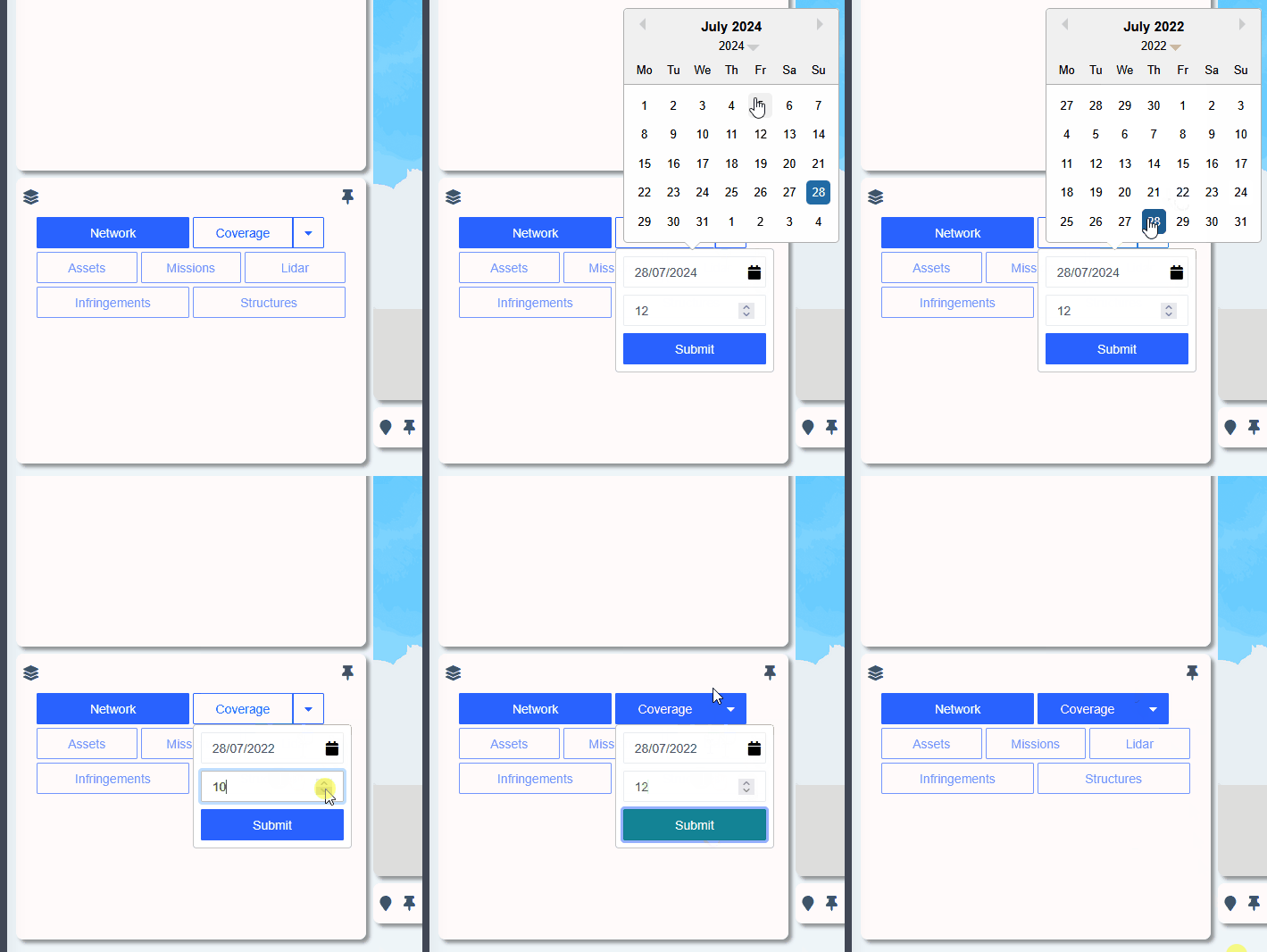
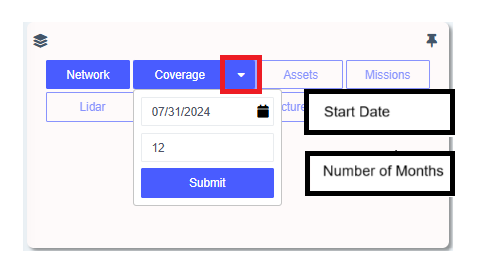
In previous versions, the coverage layer only presented data captured within the last 12 months. In V3.6.0, users are able to apply a custom date range - using the 'start date' and 'number of months' fields to set which data should be included in the coverage layer on the Explorer page. This enables users who have several years of data available to review historical information, without impacting the performance of Cordel Connect.
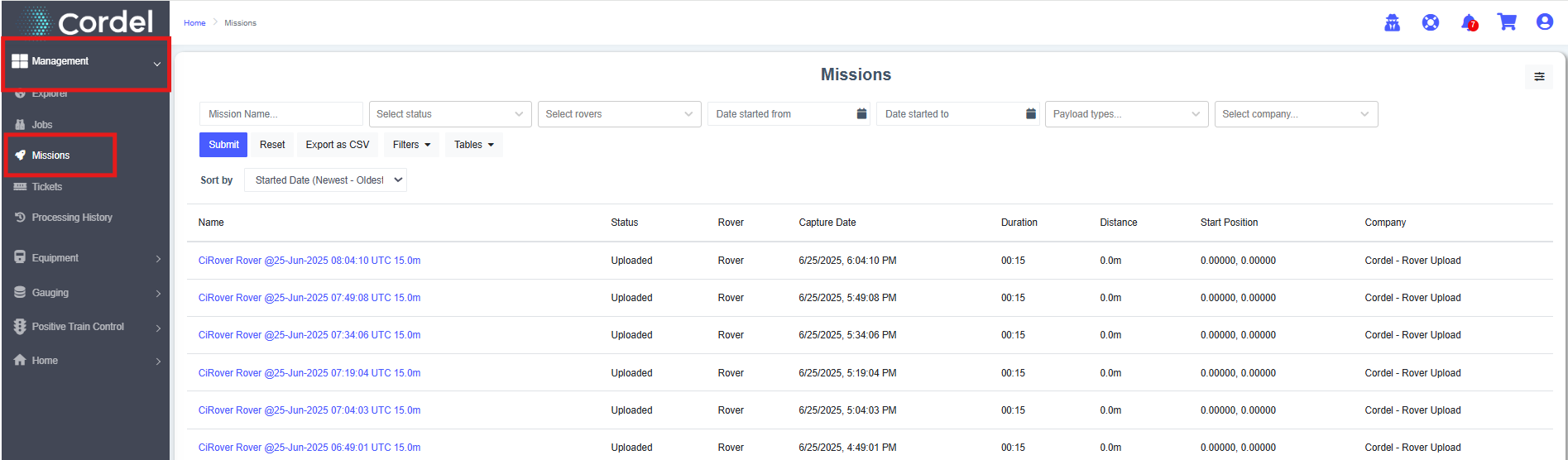
Mission search page with filtering and sorting options
cordel connect
Cordel Connect now includes Mission search functionality, allowing users to bypass the Job search layer. The Mission search page is accessible from the main menu, under the 'Management' tab.
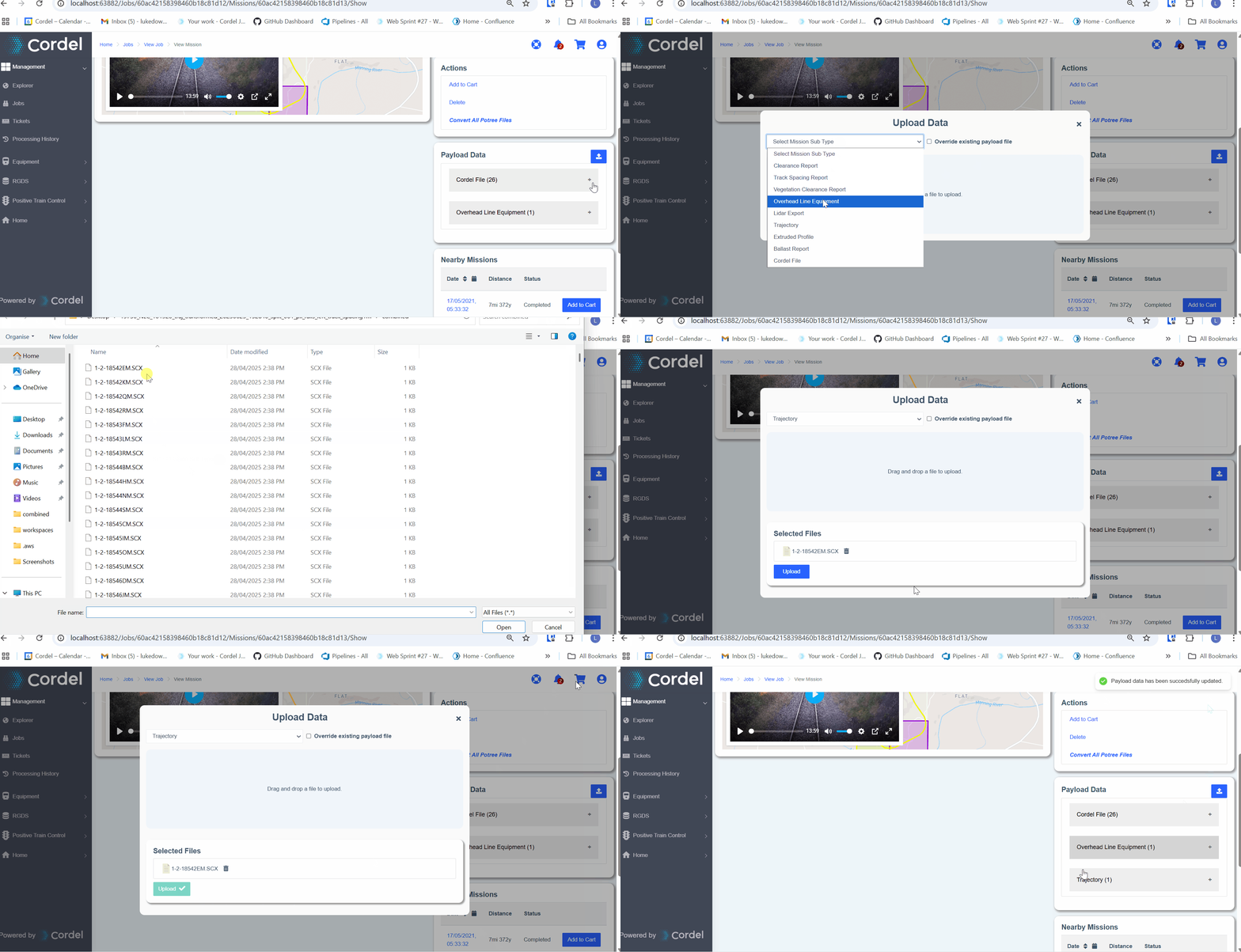
Data Upload
-
New file upload capability - Users can now upload files directly to mission payload data through the web interface and API
-
File overwrite functionality - Added ability to overwrite existing payload data files with proper permission controls
-
Permission-based access - Introduced
CanUploadFilesandCanOverWriteFilespermissions to control user access to upload and overwrite features -
API endpoint - New
POST /Missions/{missionId}/PayloadDataendpoint for file uploads
Rover page improvements
cordel connect
-
Improvements to the way active/inactive Rovers are represented
-
Inactive Rovers can be hidden or shown
-
Improvements to the responsiveness of web page, when displaying a Rover history trail
Minor Improvements
cordel connect
-
Improvements to the reset password function, particularly if the user has an unaccepted invitation
-
Improvements to the performance of the Rover management page
-
Changes to the 'Point Budget' setting on the LiDAR viewer page to account for the number of point clouds in the scene
-
Added the ability to enable/disable the network model / linear search distance fields on the Explorer page through Cordel Connect configuration
Fixes
-
Following a rover on the management page no longer crashes the current browser tab after extended use
-
Mission reports will now correctly be displayed in some state based scenarios
-
Fixed an issue causing invalid columns in certain tabular views when exporting as a 'CSV' file
-
Fixed an issue that caused track information to be unavailable when clicking lines on the Explorer page
-
Improvements to visual display in the UI / resolved minor UI issues