

Core Updates
Cordel Connect
The .GPKG (GeoPackage) file type is now available when exporting search results
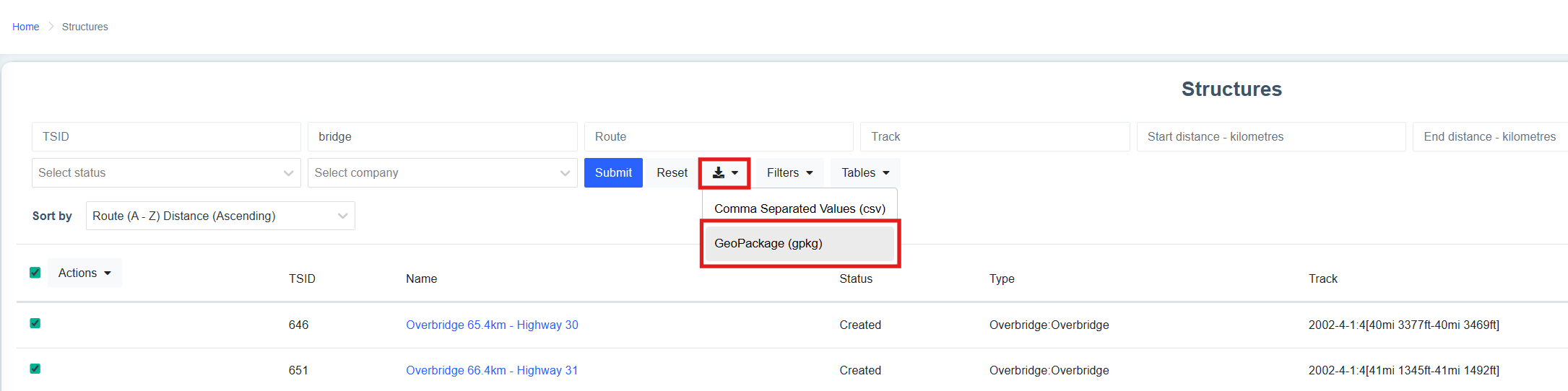
Users are now able to export search results from the Explorer page
Users are able to export Explorer search results as either a .CSV (Comma Separated Values) file or a .GPKG (GeoPackage) file.

Feature Updates
Features may or may not be available to you depending on the configuration of your Cordel Connect account. Please contact your account manager for more information.
PTC
The Asset Search Page is now available in the Positive Train Control module
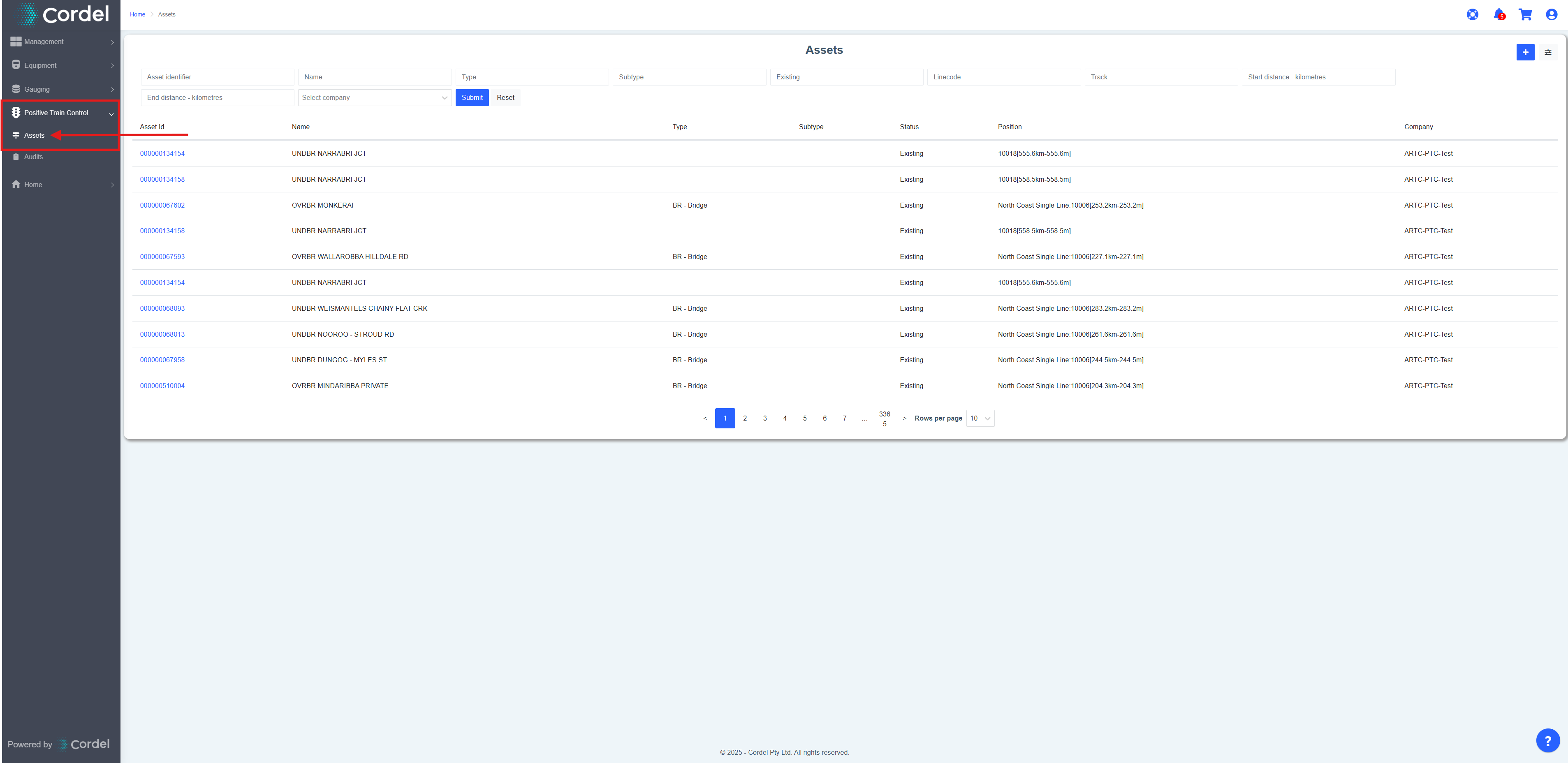
The Asset Search page allows users to search for a particular Asset by Asset ID, Asset Name, Asset Type, Asset Subtype, Status, Linecode, Track, Start Distance or End Distance. Users are also able to search for all Assets under a certain company.
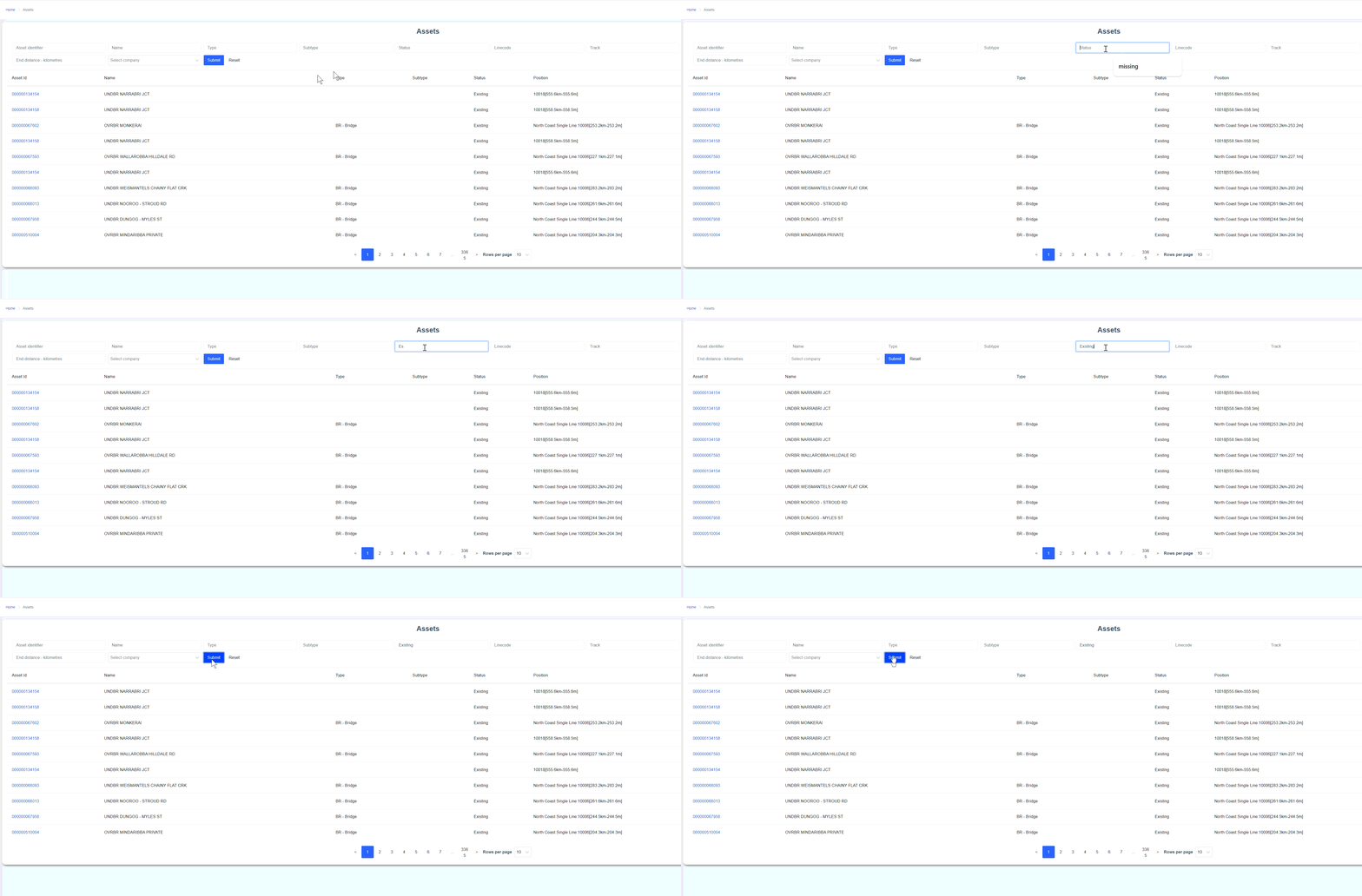
The Asset Search page functions in the same manner as other Cordel Connect search pages, allowing users to filter and sort their search results.
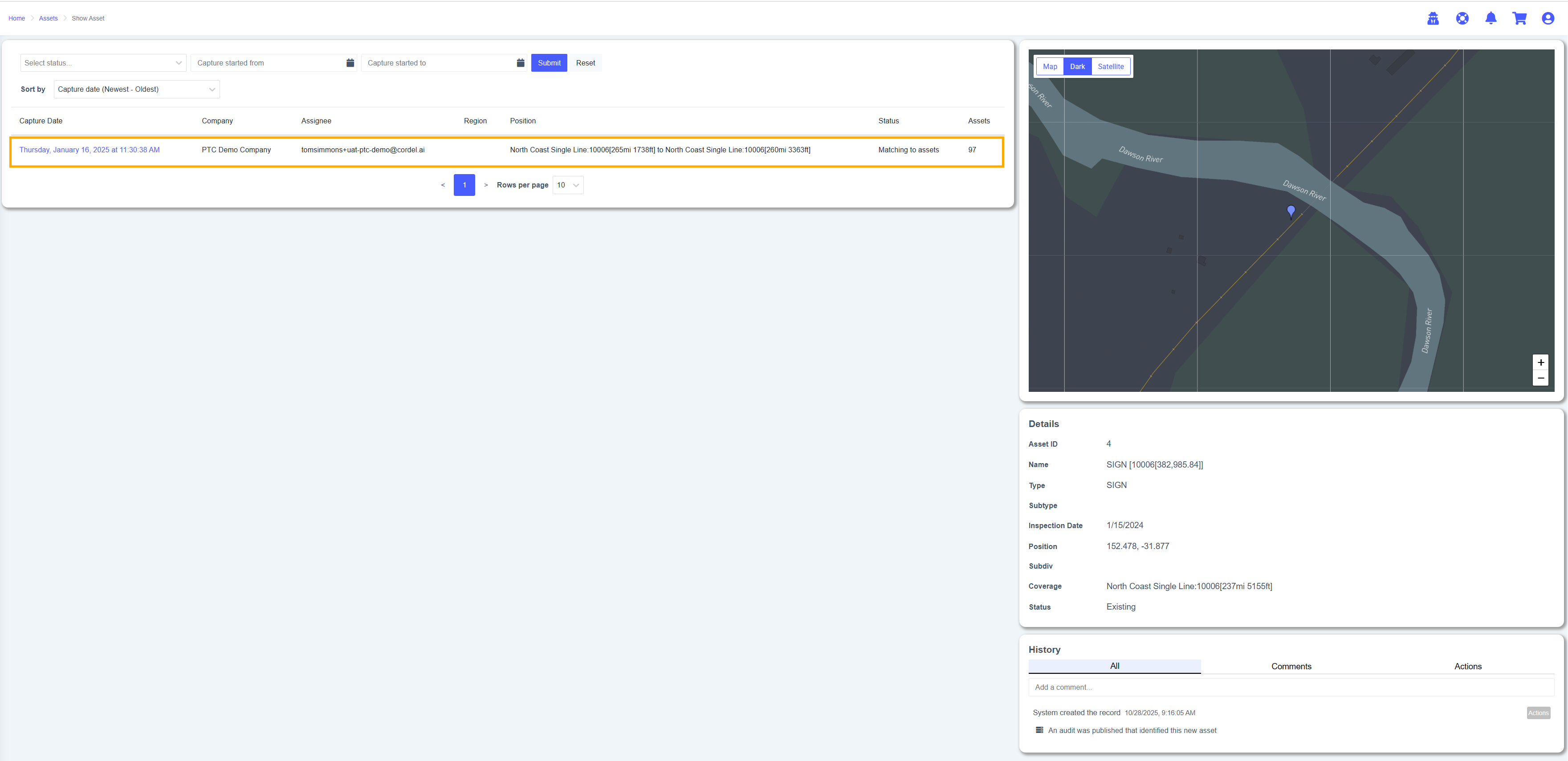
The Asset Details are now shown when a user selects an Asset from the search results on the Asset Search page
Shown when a user selects a result on the Asset Search Page, Asset Details include a Map (zoomed in to the location of the selected Asset), Metadata and history relevant to the selected Asset.
Note: When the selected Asset has Audit history, this information will be displayed next to the Asset Details (shown below in orange).
Minor Improvements
-
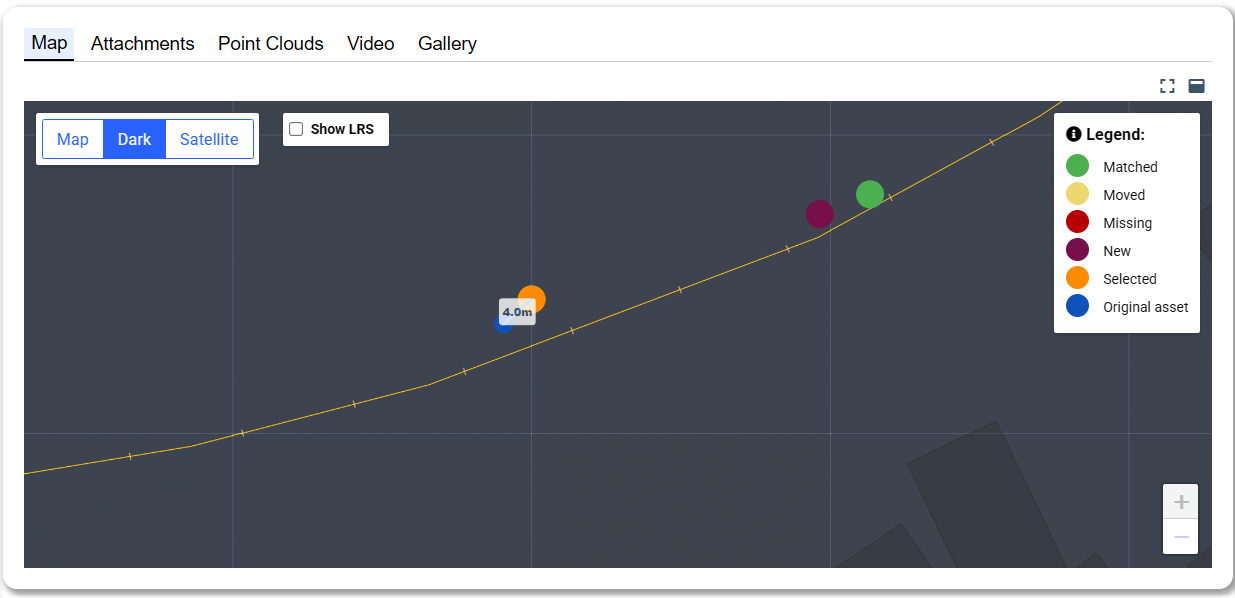
PTC Audit: The map now displays the selected Asset's current position (orange) and original position (blue) on the Map tab for added context. The distance between the current and original position is also displayed.
-
PTC Audit: While viewing a "Missing" Asset detection in a PTC audit the system will now display a snippet of the relevant video in the "Image" comparison tab, to allow users to visually assess whether or not the Asset is present.
-
PTC Audit: The map on the PTC audit page will now zoom to an Asset's location when an Asset is selected.
-
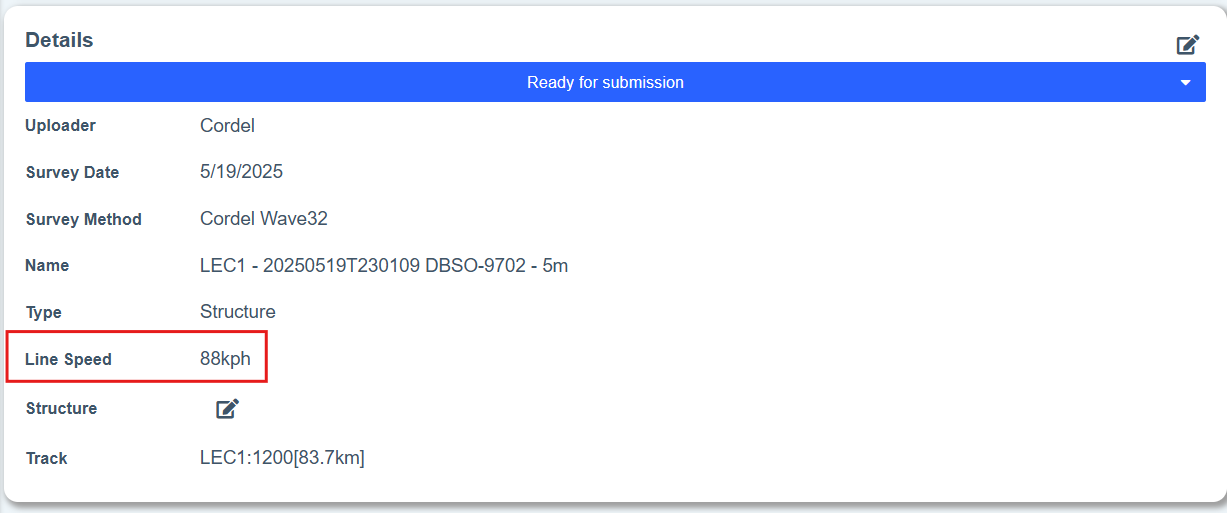
Slice Viewer: The Line Speed (LSP) value on the SC* file is now displayed on the Slice Viewer Details card. screen.
-
Survey Upload: Slices will now always be processed in ascending distance order (unless the survey is specifically from the SGT LaserFleX2 capture system).
-
Survey Search: A new bulk 'Withdraw" action has been added to the Survey index page which allows users to select multiple Surveys and set them to the 'Withdrawn' status with one click.
-
Bulk Actions on Search Pages: More detailed information is given to users when they go to perform a bulk action, including the result of bulk action they wish to undertake.
Fixes
-
The survey navigator extend / reduce functionality has been improved.
-
Fixed an issue that caused the Cart page to crash in some rare circumstances.
-
Fixed an issue that caused an error when reinstating a structure on the survey edit page before the structure had been completely archived.